
Beantwortet
Navigation icons change when published
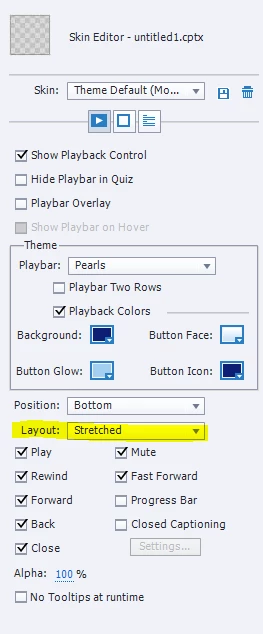
When I preview my course in Adobe Captivate all of my navigation tools are all together on the bottom left corner. When I publish to DigitalChalk LMS, they space across the entire bottom of the slide. See image below. Can you tell me why my navigation buttons distort? I spoke with my LMS provider and they said it was due to formatting when published in Captivate 2017 and that I should talk to someone at Adobe.



 AdChoices