

Need help getting button to trigger effect on text caption
Hi everybody,
I am working in

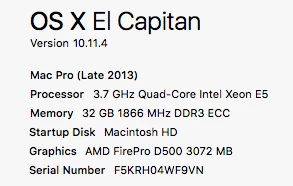
on a Mac (specs below)
I am very novice to Captivate (only my second week), but am familiar in other Adobe programs. I am trying to get a smart object that I made into a button to trigger an effect on a text caption. I have scrolled through the forums here and tried various things from advanced actions to just using the drop down menus in the Properties Inspector and nothing I have tried is giving me the result that I want.
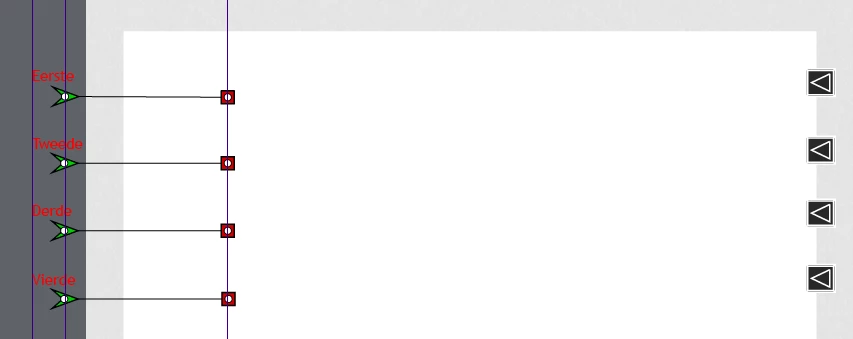
Here is a screenshot of what I am working with.

What I want to happen is for the arrows to be the buttons (and they currently are). When the slide first appears I want only the image and arrows visible. Then when the user clicks on the arrow, I want the effect I selected (spiral in) to be triggered bringing the corresponding text in.
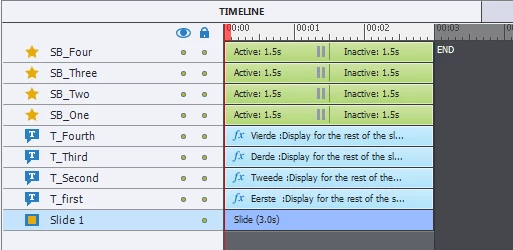
This is what my Properties Inspector looks like for each caption (the names are different for each)

And I also tried writing a few Advanced Actions that follow along with tutorials I found online and nothing is giving me what I want.
When I preview the slide I can see everything on entrance and then when I click the button it applies the effect. I have double checked the advanced actions and usually when I try those nothing happens at all.
Is there anyway I can get this to work that way I am wanting. It seems like it should be simple and that I am just overlooking it.

 AdChoices