justinm53961168
Inspiring
April 4, 2016
Question

Need to delay animation

  • April 4, 2016
  • 1 reply
  • 373 views

This might be easy but can't figure it out...

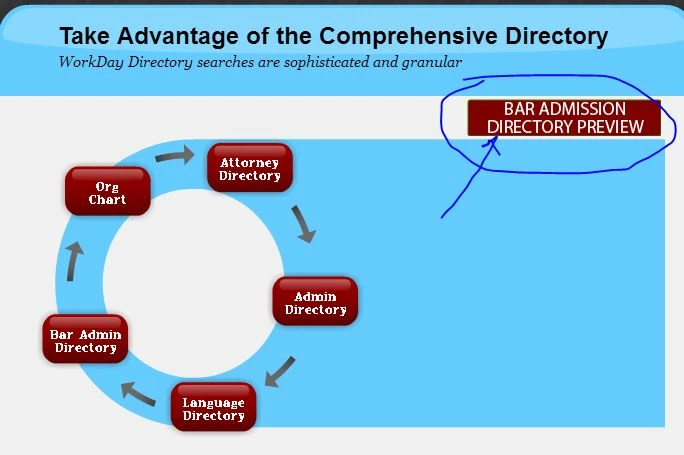
PROBLEM: bar-admission-report gif (seen below) is already running when I click button 'Bar Admission Directory Preview'...and I want the bar-admission-report gif to START when someone clicks the 'Bar Admissoin Directory Preview' button.

The gif seems to be mid-way through when I click the button...I want the gif to start ONLY WHEN someone clicks 'Bar Admission Directory Preview' button.

I was playing around with Conditional Action statement but couldn't get it sorted 😕😕

any help would be appreciated.
    This topic has been closed for replies.

    1 reply

    RodWard
    Community Expert
    Community Expert
    April 4, 2016

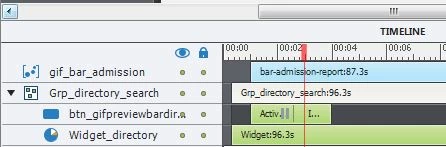
    I think you will find that the GIF is going to start its animation from the moment it gets added to the timeline. NOT when you decide to SHOW it.

    So if it has been added to the timeline at half a second in, that's when its animation will start, even though it's set NOT Visible in Output at that point and is therefore invisible to the user.

    You need to come up with a different strategy for making this animation work the way you want.  I suggest you will need to be jumping to different slides so that the animation starts as soon as the slide opens.

    justinm53961168
    Inspiring
    April 4, 2016

    oh I didn't know that. I've aggressively taught myself Captivate 9 over the past 2 weeks so many things I haven't experienced (but I've rolled my sleeves up and dug in).

    Given my situation, what would you do? I assume you would put the animation on it's own slide and do it that way? If you have another solution, please advise, I need to complete this and I've literally spent 20 hours or so banging my head against the wall with this project (but enjoying Captivate along the way).

    RodWard
    Community Expert
    Community Expert
    April 4, 2016

    I'm not really sure what your animation does, but yes I would probably be putting it on a different slide.