


Inspiring
July 6, 2023
Answered

New Captivate - Hotspot widget

  • July 6, 2023
  • 1 reply
  • 374 views

Hello,

I was trying to use hotspot widget for building a quiz slide and was not able to resize the hotspot icon to cover a certain part of an image. I accomplished it using click boxes in CP 2019:
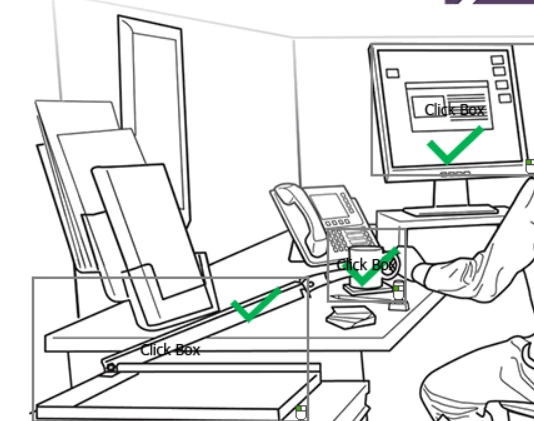
Here is how it looks in new Captivate:
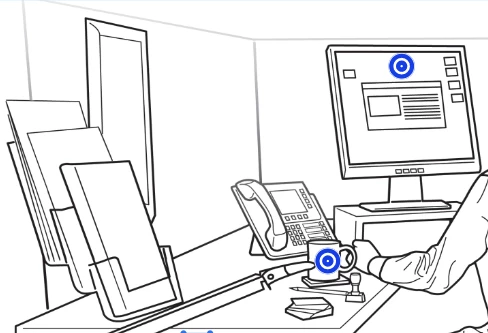
So, is there a way to resize the hotspot icon in new captivate or achieve the desired result using any other functions?

On another note, I would like to point out that the hotspot widget is not responsive for tablet and mobile:
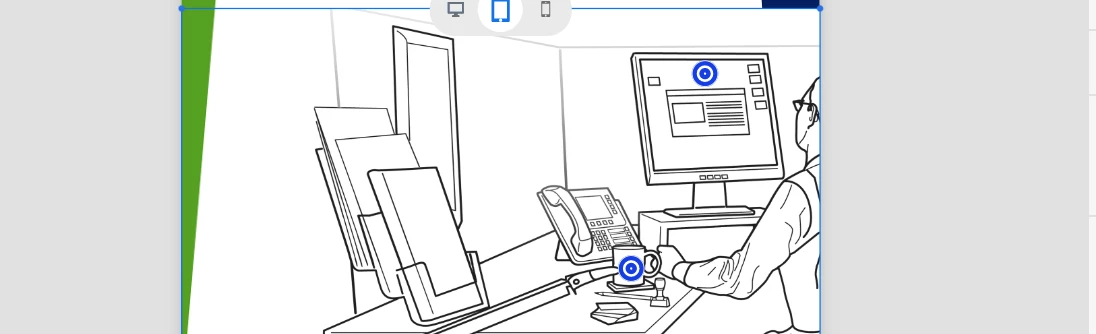

 

Correct answer Lilybiri

No answer yet, and as moderator I don't like to leave a user without help. 

You couldn't use click boxes in responsive projects in the former versions at all. Problem with responsive project with  Fluid Boxes (Classic Captivate) or containers (new Captivate) is that they do not allow stacking of objects. That was the reason that you couldn't use click boxes in a Fluid Boxes project. You are clearly talking about non-responsive projects, but this new Captivate is not allowing you to create non-responsive projects. So, you cannot compare workflows.

I use SVGs as hotspots in Classic Captivate of shapes to avoid the stacking. But that is no longer possible. This new Captivate takes over most of the control from the developers, which may be great for new users as long as they remain 'within the lines'. If you want more control, please revert to Classic Captivate at this moment until the new Captivate has developed more features requested by intermediate and advanced developers.

1 reply

Lilybiri
LilybiriCorrect answer
Legend
July 10, 2023

No answer yet, and as moderator I don't like to leave a user without help. 

You couldn't use click boxes in responsive projects in the former versions at all. Problem with responsive project with  Fluid Boxes (Classic Captivate) or containers (new Captivate) is that they do not allow stacking of objects. That was the reason that you couldn't use click boxes in a Fluid Boxes project. You are clearly talking about non-responsive projects, but this new Captivate is not allowing you to create non-responsive projects. So, you cannot compare workflows.

I use SVGs as hotspots in Classic Captivate of shapes to avoid the stacking. But that is no longer possible. This new Captivate takes over most of the control from the developers, which may be great for new users as long as they remain 'within the lines'. If you want more control, please revert to Classic Captivate at this moment until the new Captivate has developed more features requested by intermediate and advanced developers.

sharifshAuthor
Inspiring
July 10, 2023

Thank you so much for sharing your insights and pointing out the differences in the workflows between responsive and non-responsive projects. I do think that even new users should be able to resize the hotspot size in a responsive project. So, I hope the feature is added to the new Captivate in the near future.

Lilybiri
Legend
July 10, 2023

Sure! Why do you not try to enter a feature request? There is an option 'Feedback' under the Help menu.