Participant
January 25, 2017
Question

New project showing 2 different slide controls

  • January 25, 2017
  • 3 replies
  • 118 views

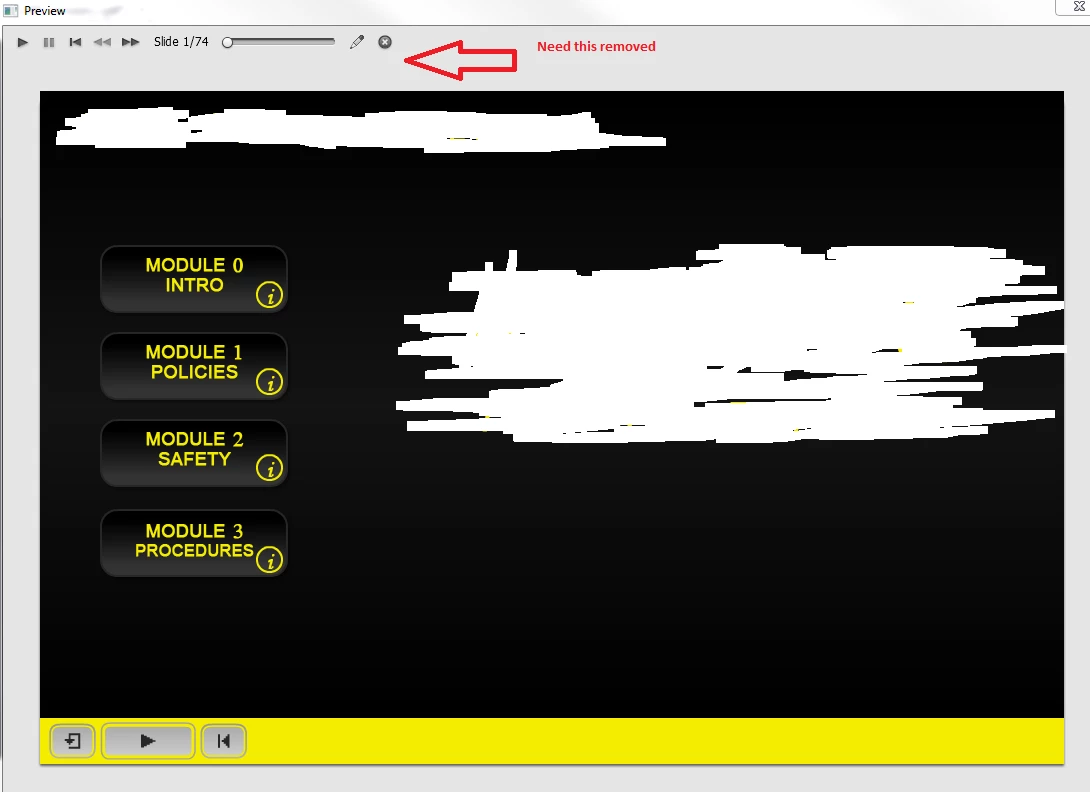
Just received a project that was created by another user that is no longer in the department.  This course was built in Captivate 8 and I've loaded it into Captivate 9.  When trying to preview the course through Captivate 9, the course shows two different slide controls.  The bottom (correct) shows only the pause and back buttons.  The top (incorrect) shows all options and allows users to slide through the course without viewing each slide to its fullest.

I'm trying to figure out how to remove the top player which seems to be a separate control that I cannot find in Captivate 9.  Any help would be greatly appreciated.
    This topic has been closed for replies.

    3 replies

    Deebo16Author
    Participant
    January 25, 2017

    I've been using Captivate 9 for about a month now and never noticed it in any of my other projects I've created when using the preview.  Thanks for the help.

    Lilybiri
    Legend
    January 25, 2017

    New to Captivate ?

    You are previewing a normal project in the Preview Edit box, not in the browser. That control panel makes it just easier to move between slides, shows the number of slides and the current slide, and using the pencil button you can go immediately to the slide you have to edit instead of having to remember which slide you have to look for in the Filmstrip (can take some time with 74 slides). It will not appear if you use Preview in Browser (F12) nor Preview HTML in Browser, nor when published. 

    Captiv8r
    Legend
    January 25, 2017

    Hi there

    What you are showing is the Captivate preview window. When you publish the project, those top controls will not be there. They are present in the preview in case you have a project that isn't using playback controls.

    Cheers... Rick