
New Participant
December 16, 2019
Question

Next and Previous Buttons stop working mid project

  • December 16, 2019
  • 1 reply
  • 489 views

I can't seem to figure out what is wrong with this project.  For most of the slides, the next and previous buttons work fine, but then towards the end, they won't work on a specific slide.  This slide uses forced navigation. There is another slide in the same project that uses forced navigation as well and that one works fine.  


If I remove this slide from the project, then the following slide after this breaks down as well.  and the buttons won't work on that slide either. 


This topic has been closed for replies.

1 reply

Lilybiri
Legend
December 16, 2019

Do you really have an instance of those buttons on EACH slide?  Are you on a very old version of Captivate?  Why do you not use shape buttons on master slides or timed for the rest of the project?

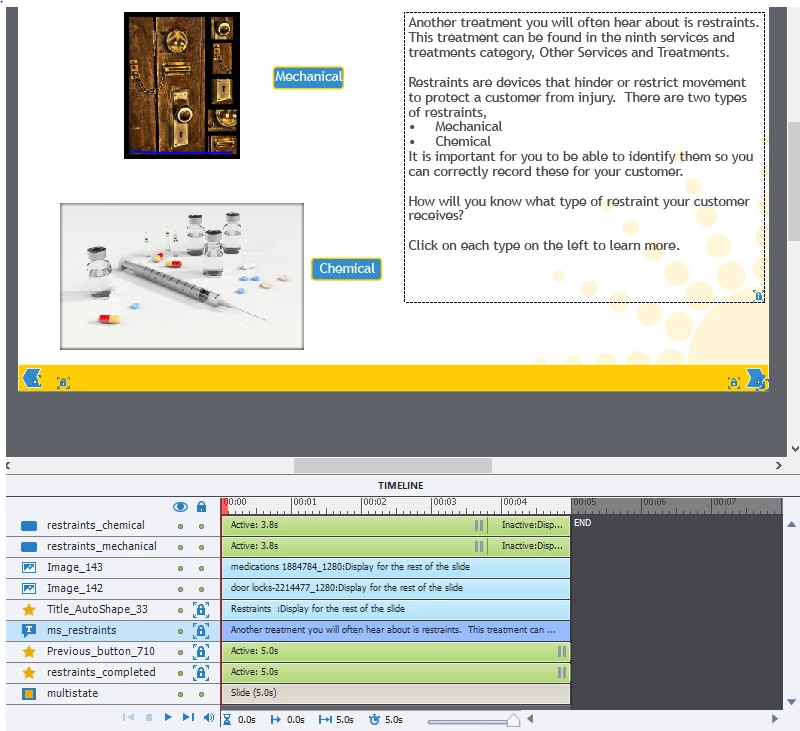
On this slide you have 4 interactive objects, two extra buttons which pause before the pausing point of the Next and Previous buttons. What are they doing?

BPoepselAuthor
New Participant
December 16, 2019

I'm using Captivate 2019 11.5.1.499


"Those buttons"?  Not sure which buttons you are referring to. The previous and next buttons or the Mechanical and Chemical buttons?


Most of the slides have previous and next buttons.  This is the only slide with the Mechanical and Chemical Buttons though. 


Helping a colleague here, not sure why she did not use shape buttons, but not sure how that would change anything.  I am not that advanced of a Captivate user. 


The Mechanical and Chemical objects change the state of the ms_restraints text.

Lilybiri
Legend
December 16, 2019

Previous button IS a shape button.  I see that it has _760, does that mean you have 760 Previous buttons in one project? That is crazy... Buttons have pausing points at different times... why? It is not a good practice to have a pausing point at the last frame as is the case for two buttons out of 4. Do you understand the timeline and the functionality of pausing the timeline? Have a look at:

http://blog.lilybiri.com/pausing-captivates-timeline