Participant
May 23, 2016
Question

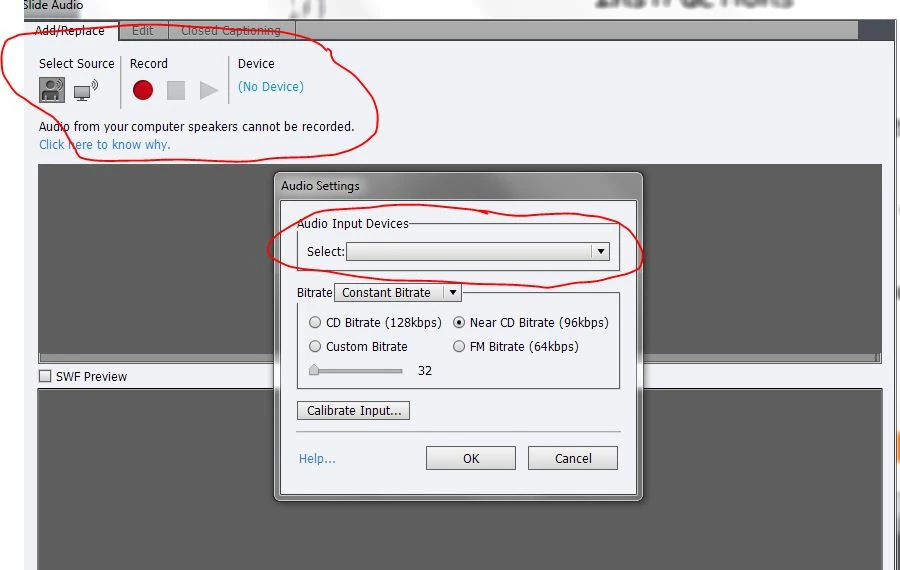
No audio device detected in Captivate 7 (32 bit)

  • May 23, 2016
  • 2 replies
  • 639 views

I am running Captivate 7 (32 bit) on Windows 7 Home Premium system.  Without prior problems, I suddenly cannot record voiceover PowerPoint slides in Captivate because the audio input device is not detected.  The Logitech USB microphone is working fine and I have used it many times before to record voiceovers.  Can anyone give me some help or advise?
This topic has been closed for replies.

2 replies

Participant
May 24, 2016

Yes, I've tried rebooting and in the Control Panel, the USB mic is recognized and the microphone headset is checked as the default recording device. 

Lilybiri
Legend
May 24, 2016

Do you have the latest driver for the microphon?

Participant
May 24, 2016

Yes, although no drivers are necessary (built in), I double checked anyway.  Another odd thing, is that when I launch Captivate, I get the User Account Control window that says the program wants to make changes to my hard drive.  This did not happen before I began having the problem with the audio recording.  Don't know if the two issues are linked or not. 

RodWard
Community Expert
Community Expert
May 23, 2016

This is usually something you need to fix by going into your Control Panel > Sound dialog to find out why your USB mic is not being recognized.

I'm assuming you have already tried rebooting your PC with the USB mic already attached to a port, right?