
Answered
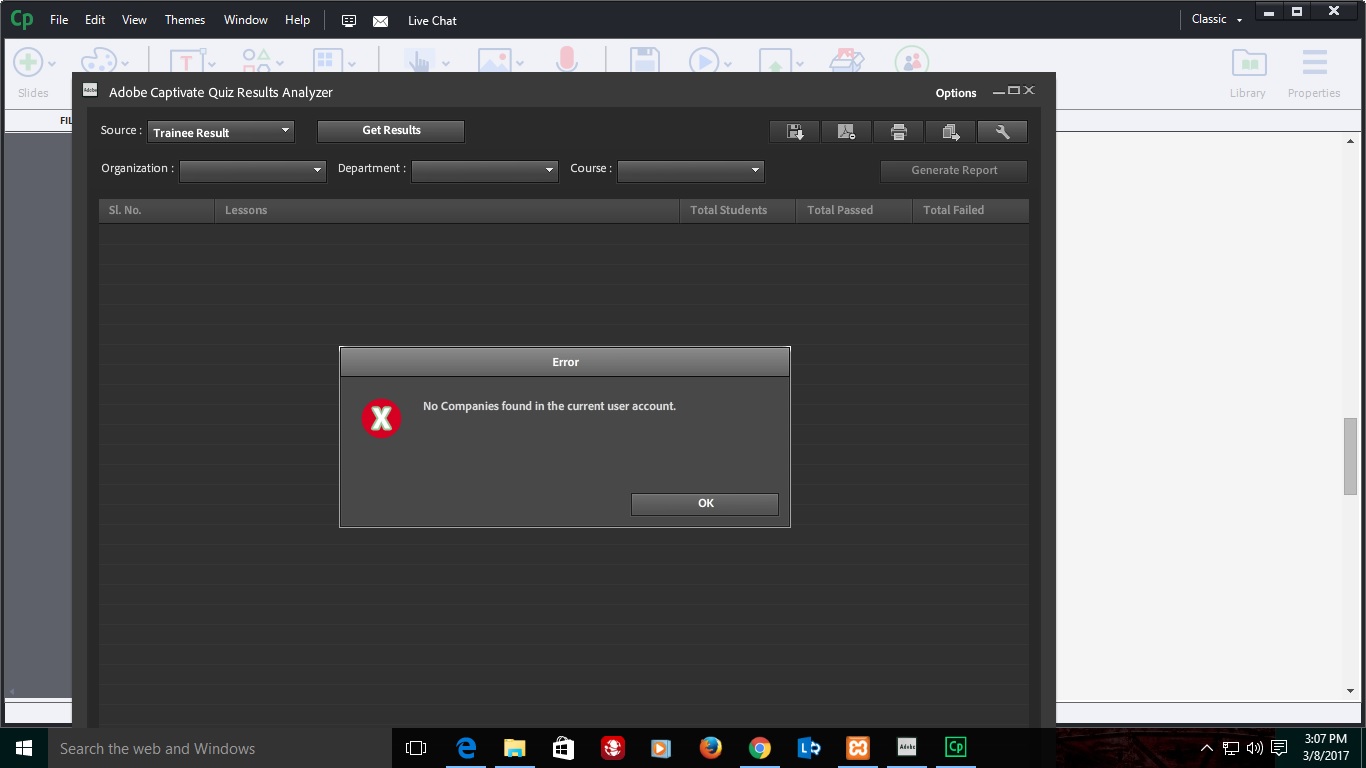
No companies found in the current user account
Good Day!
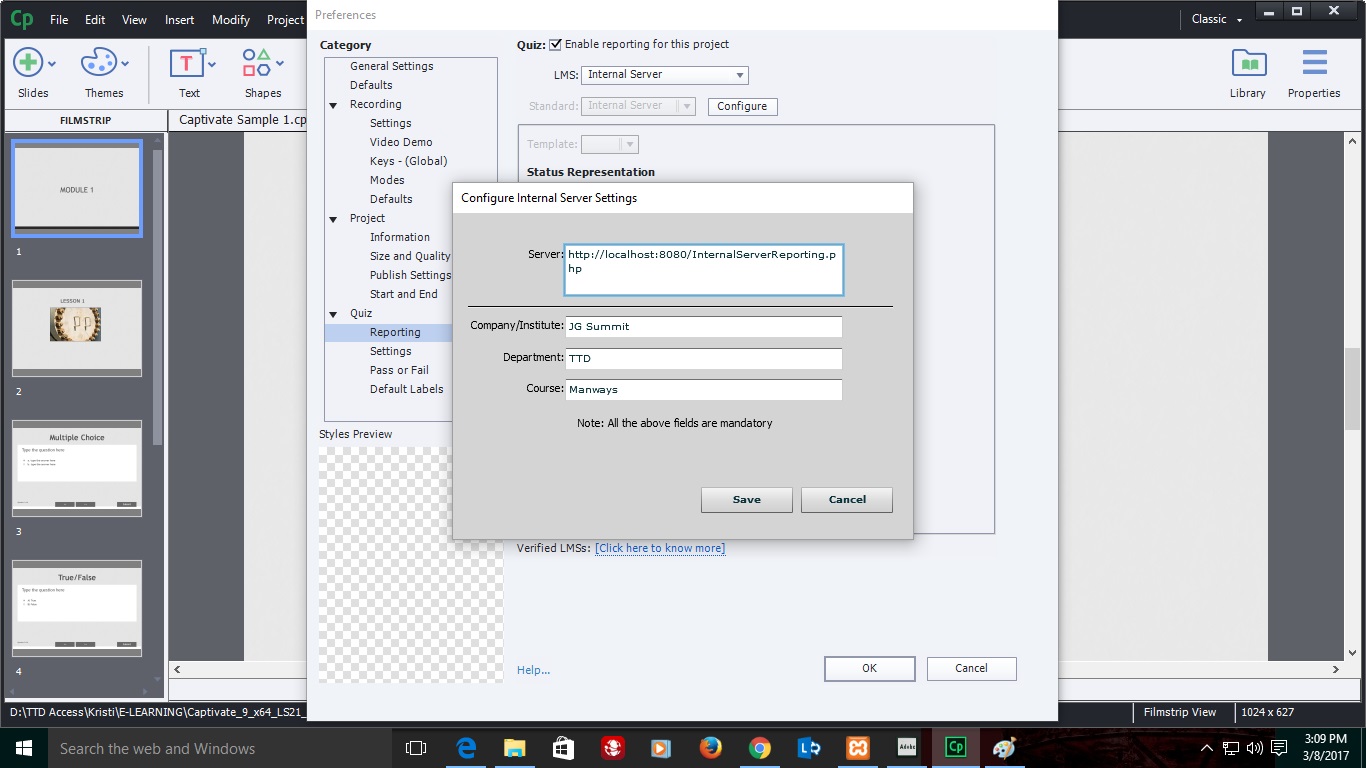
I almost follow the all instructions to save the results in server. But it cannot generate results in quiz analyzer.
Can anyone help me. [gallery ids="11573,11574,11572"]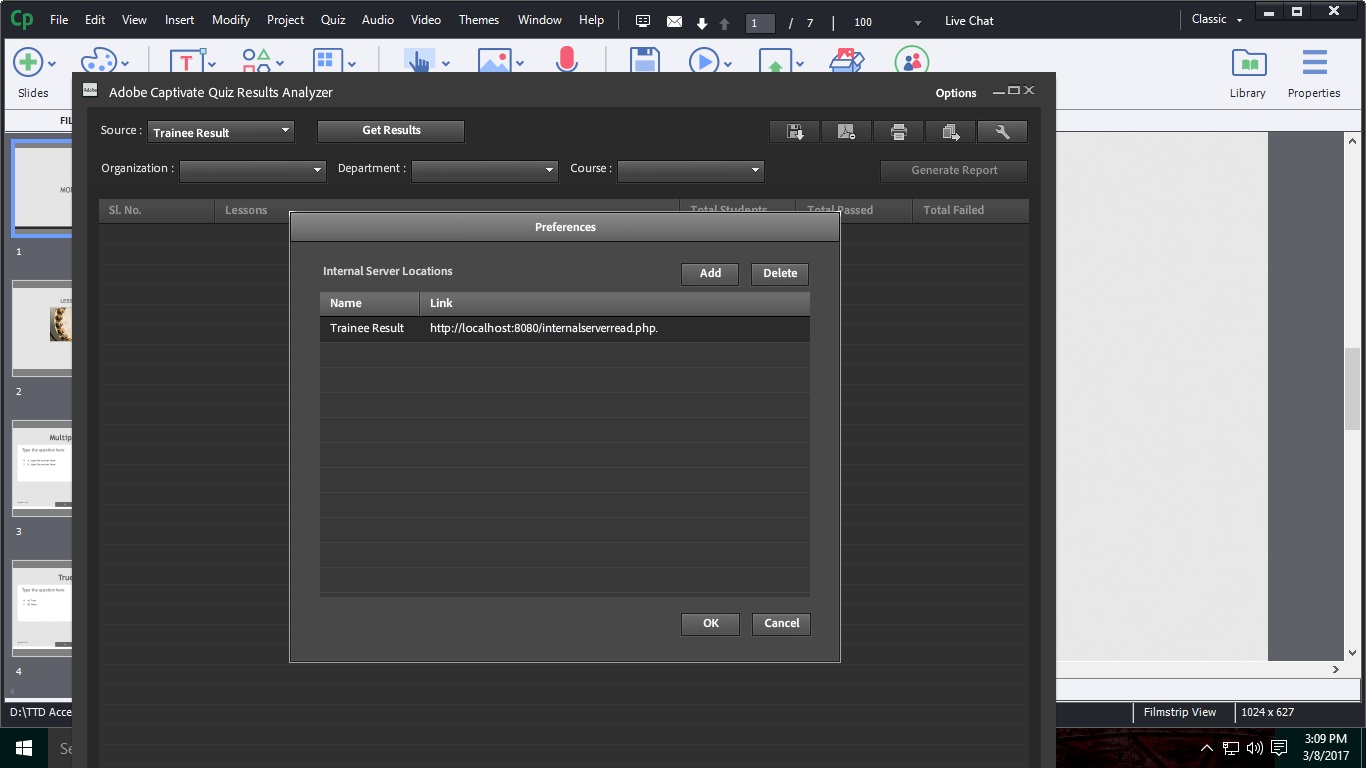
Good Day!
I almost follow the all instructions to save the results in server. But it cannot generate results in quiz analyzer.
Can anyone help me. [gallery ids="11573,11574,11572"]
After you change the document root, create a folder report and then copy only the two php files in xampp/htdocs/report.
then try to access the using localhost:8080/report/internalServerReporting.php
Don't forget to restart Apache.
Already have an account? Login
Enter your E-mail address. We'll send you an e-mail with instructions to reset your password.
 AdChoices