
Sankies
Known Participant
August 25, 2016
Answered

Non-Linear Quizzing and System Variables

  • August 25, 2016
  • 1 reply
  • 700 views

I have a non-linear project that has 3 sets of content that are all accessible from a menu. Each lesson has it's own set of questions after the content slides. I introduced a "checkpoint results slide" at the end of each set of questions to give the learner a sense of his performance (rather than waiting until the end of all 3 lessons for the system generated quiz results slide). I wanted the learner to have the flexibility of doing whichever lesson he feels like, answer the questions, get some feedback, revisit the menu, click another unvisited lesson and so on, until all the lessons are visited, he gets his results and exits.
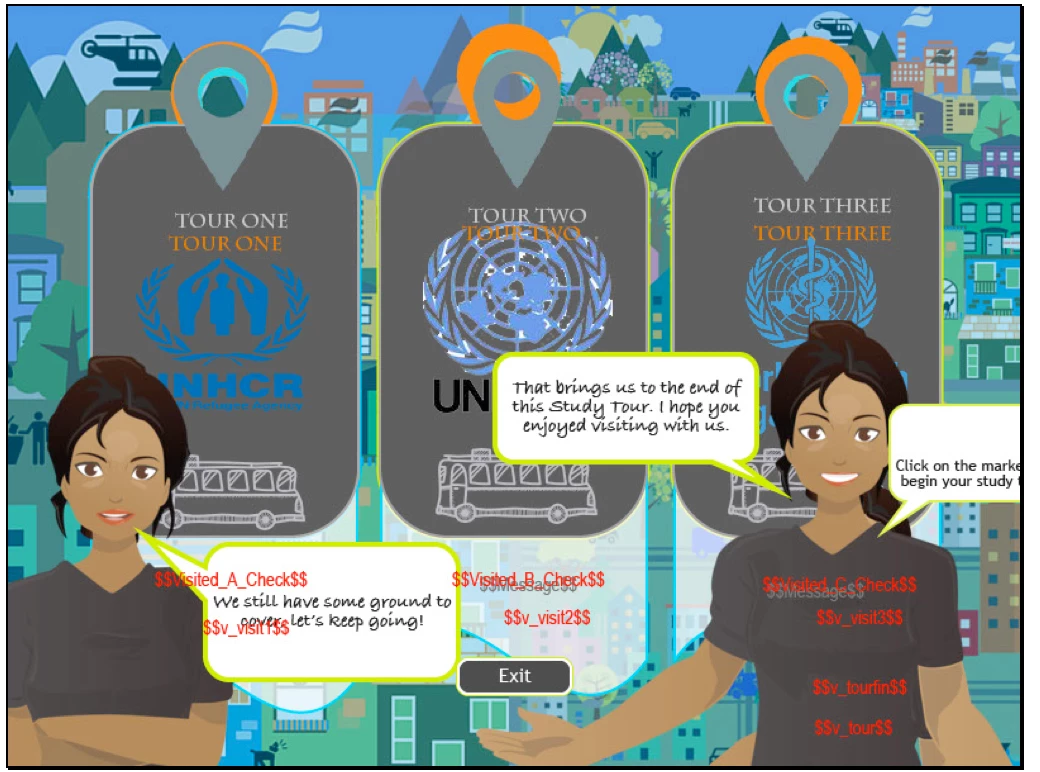
The problem is, if the learner decides to start with unit 2, and does the questions, when he revisits the menu and moves on to unit 3 or unit 1 Captivate doesn't seem to recognise that this is a continuation of the quiz. So it sets the question numbering back to "question 1" creating an impossible situation for the system generated quiz results slide because I noticed that the system variables were also no updating (I have them on the slide to test). In the end, the final quiz results slide is filled in NaN errors because the system variables didn't recognize the scope I guess.

I relented and made the project linear forcing the learner to visit 1, visit 2 and then visit 3 (which I simply detest!) and it worked. What am I doing wrong? Is the system generated results slide in Captivate Quizzes only possible for linear activity?

I do have my own variables to provide user data for my checkpoint slides (customized results slides) and the project worked really well WITHOUT the beauty of having the automatic system generated results slide with the review questions options which is a shame. Does this mean that I can't have both options, and I should just create my own final results slide? I sure hope not.
Any advice always appreciated.

    This topic has been closed for replies.
    Correct answer Lilybiri

    If I understand the question correctly, Branch aware is not the solution IMO. That feature will make the quizzing variables dynamic, which means that only the questions taken by the user will be included in the quizzing system variables on the score slide: the percentage, the score, the maximum score, etc. Have a look at the example in this blog post:

    Branch Aware Quiz - Captivate blog

    Moreover Branch aware will restrict navigation in your course, and that is not wanted in this case I presume.

    Some ideas based on my understanding of the question:

    • If you want each part of the quiz (because CP will see the total quiz as one quiz) to have its own progress indicator, you'll have to create a custom progress indicator. I explained that quite a while ago in: Customized Progress Indicator - Captivate blog
    • If you want to show the score for each part of the quiz, you need to create custom score slides (have another blog post, but don't dare to post more links).
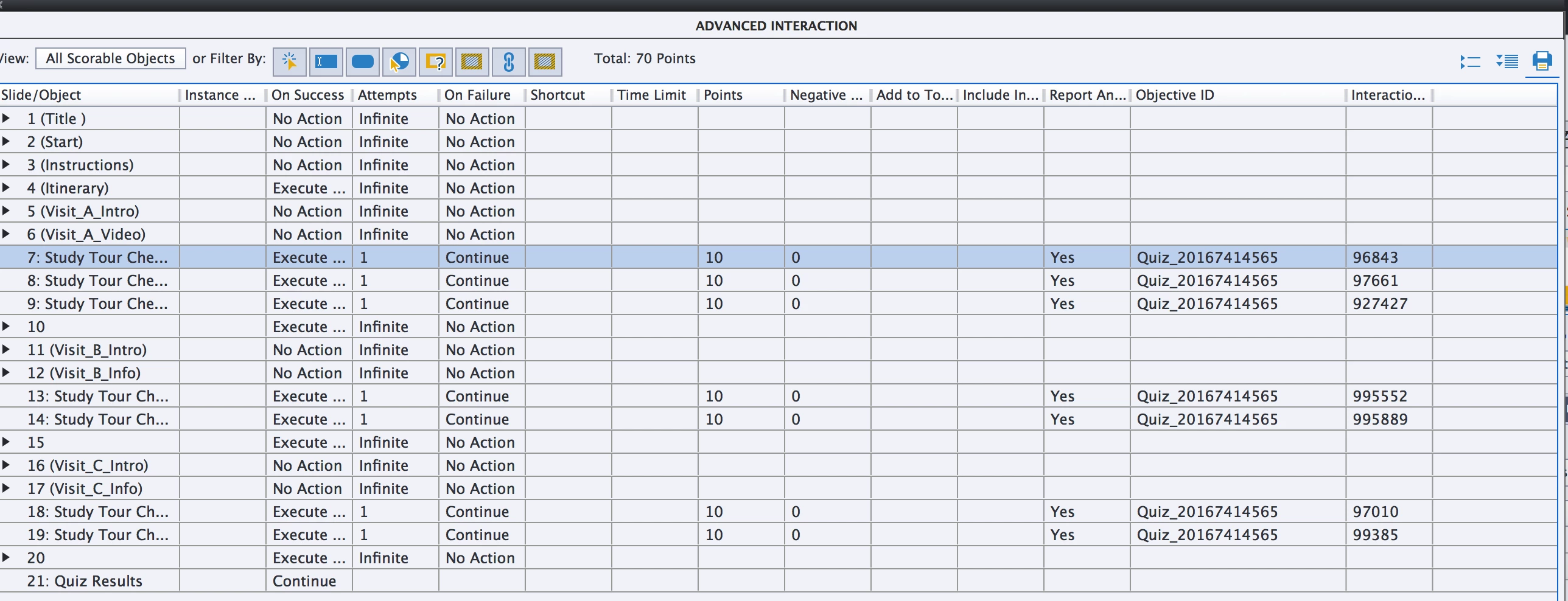
    • The most important tip: you have to make sure that you don't get out of the Quiz Scope while offering free navigation to the user. As long as you remain within the quiz scope (CP has now a system variable  to check it during testing) the Quiz attempt is not considered to be finished. Since you tell that the answers have been reset after one part, that meant that a new Quiz attempt wss started which has to be avoided. An easy way is to make sure that the whole course is in the quiz scope, which you can achieve by adding a scored object to the first slide, and putting the score slide at the end.

    1 reply

    Allen_Partridge
    Adobe Employee
    Adobe Employee
    August 25, 2016

    Check the branch aware box in the preferences: quiz settings panel. (I like your art.) ;)Screenshot 2016-08-24 22.31.28

    Lilybiri
    LilybiriCorrect answer
    Legend
    August 25, 2016

    If I understand the question correctly, Branch aware is not the solution IMO. That feature will make the quizzing variables dynamic, which means that only the questions taken by the user will be included in the quizzing system variables on the score slide: the percentage, the score, the maximum score, etc. Have a look at the example in this blog post:

    Branch Aware Quiz - Captivate blog

    Moreover Branch aware will restrict navigation in your course, and that is not wanted in this case I presume.

    Some ideas based on my understanding of the question:

    • If you want each part of the quiz (because CP will see the total quiz as one quiz) to have its own progress indicator, you'll have to create a custom progress indicator. I explained that quite a while ago in: Customized Progress Indicator - Captivate blog
    • If you want to show the score for each part of the quiz, you need to create custom score slides (have another blog post, but don't dare to post more links).
    • The most important tip: you have to make sure that you don't get out of the Quiz Scope while offering free navigation to the user. As long as you remain within the quiz scope (CP has now a system variable  to check it during testing) the Quiz attempt is not considered to be finished. Since you tell that the answers have been reset after one part, that meant that a new Quiz attempt wss started which has to be avoided. An easy way is to make sure that the whole course is in the quiz scope, which you can achieve by adding a scored object to the first slide, and putting the score slide at the end.
    RodWard
    Community Expert
    Community Expert
    August 25, 2016

    I was also thinking that the issue must be that the user is jumping out of the quiz scope and resetting the quiz.

    I would suggest just making the buttons on the menu slide scored so that they all get added to the quiz.  Then returning to the Menu slide shouldn't trigger the quiz to reset.