
brandonh44957168
Participating Frequently
March 9, 2017
Answered

Object not hiding

  • March 9, 2017
  • 2 replies
  • 200 views

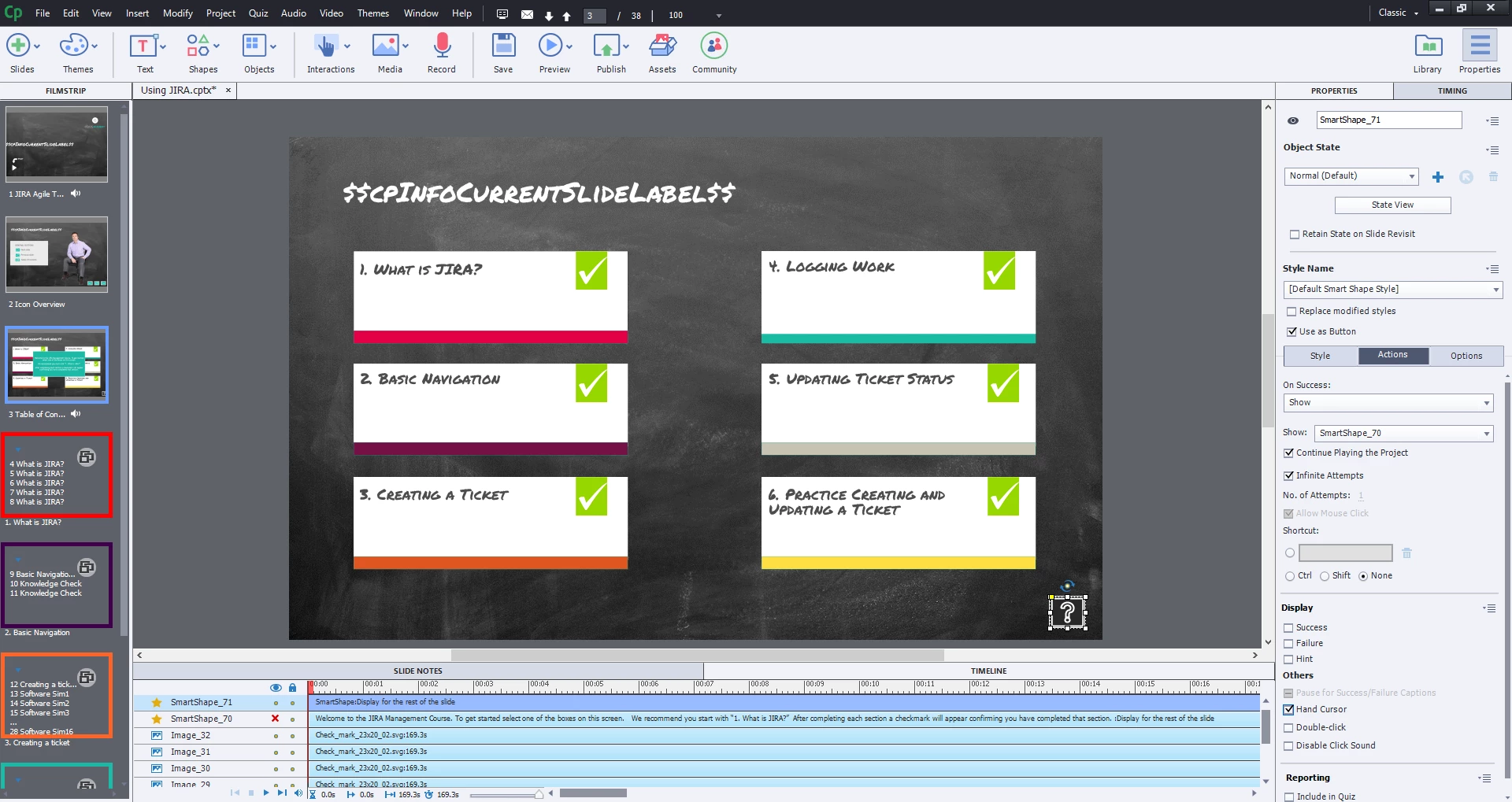
I have 2 shapes on this slide. The idea is that the green shape is hidden unless you select the button in the bottom right corner. It should then show the green shape. The issue is that the shape is not hidden when I start the slide despite it being hidden here. This seems pretty basic, I'm unsure of why its not working.
    This topic has been closed for replies.
    Correct answer Lilybiri

    Usual 'eye button' confusion. I will try to explain. Captivate has 3 eye buttons:

    1. On the Timeline (the one you used): that button will hide the object on the timeline, to allow easier editing when the stage is pretty cluttered, with objects on top of each other. Making an object 'invisible' on the stage has no effect whatsoever when the project is published. I explain this and much more in my recent sequence of articles about the Timelien/
      Captivate's Timelines (master slide/normal slide cptx) demystified - Captivate blog
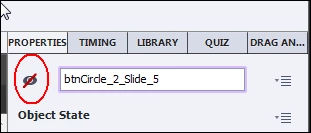
    2. In the Properties panel for a selected object or group: that button will make the object Invisible in output if it is barred like in this screenshot

      3.  In the Drag&Drop panel: that eye button will hide the links between drag sources and drop targets when clicked.

    2 replies

    Lilybiri
    LilybiriCorrect answer
    Legend
    March 9, 2017

    Usual 'eye button' confusion. I will try to explain. Captivate has 3 eye buttons:

    1. On the Timeline (the one you used): that button will hide the object on the timeline, to allow easier editing when the stage is pretty cluttered, with objects on top of each other. Making an object 'invisible' on the stage has no effect whatsoever when the project is published. I explain this and much more in my recent sequence of articles about the Timelien/
      Captivate's Timelines (master slide/normal slide cptx) demystified - Captivate blog
    2. In the Properties panel for a selected object or group: that button will make the object Invisible in output if it is barred like in this screenshot

      3.  In the Drag&Drop panel: that eye button will hide the links between drag sources and drop targets when clicked.

    brandonh44957168
    Participating Frequently
    March 9, 2017

    Yep, ignore this. I realized hiding it in the timeline does not actually hide it from view. It needs to be hid in properties...