Participating Frequently
August 13, 2009
Question

Object standardly appears on 'blank' slide

  • August 13, 2009
  • 1 reply
  • 550 views

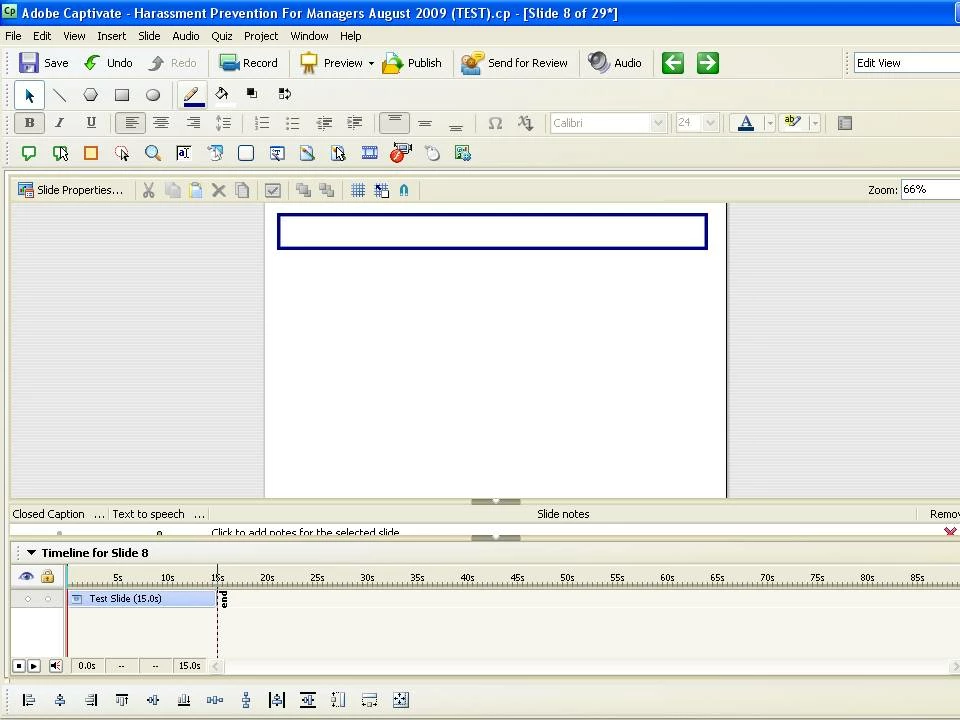
I am new to CP4 and trying to figure out it's functionality.  In my project, when I attempt to insert a 'blank' slide, the new slide appears with a rectangle already in place.  I cannot select the rectangle, so it doesn't appear to be an 'object'.  I have not created a 'skin' yet.  Is there a place somewhere where I may have created a 'master' slide?  I'd like to get rid of this rectangle... any ideas?
This topic has been closed for replies.

1 reply

Captiv8r
Legend
August 13, 2009

Hi there

Look at your Film Strip and find the slide with the rectangle. Likely you inserted it on a slide and configured it to display for the Rest of the Project.

Edit that slide and double-click the Rectangle. Change the options there.

Cheers... Rick

Helpful and Handy Links

Captivate Wish Form/Bug Reporting Form

Adobe Certified Captivate Training

SorcerStone Blog

Captivate eBooks

PJMacx22Author
Participating Frequently
August 13, 2009

Yes, that was the problem. Thank you.