


FrancoisK
Known Participant
May 2, 2023
Question

Object state ignores layer hierarchy in final LMS view

  • May 2, 2023
  • 1 reply
  • 1511 views

Good day fellow captivate users!


I am boggled by this phenomenon I find in one of the Captivate Projects...


I have created a click to reveal tab interaction, with 4 buttons/tabs each triggering an advanced action, including changing a state change of one block object, and each tab has a 'clicked' state with a different coloured shape making the tab stand above the others:
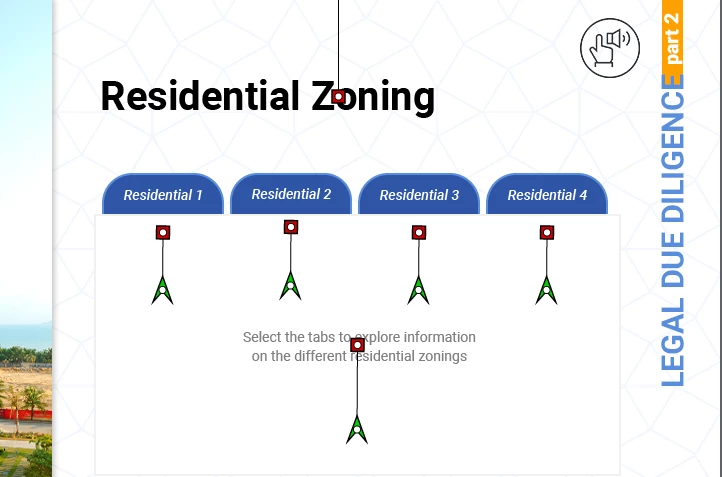
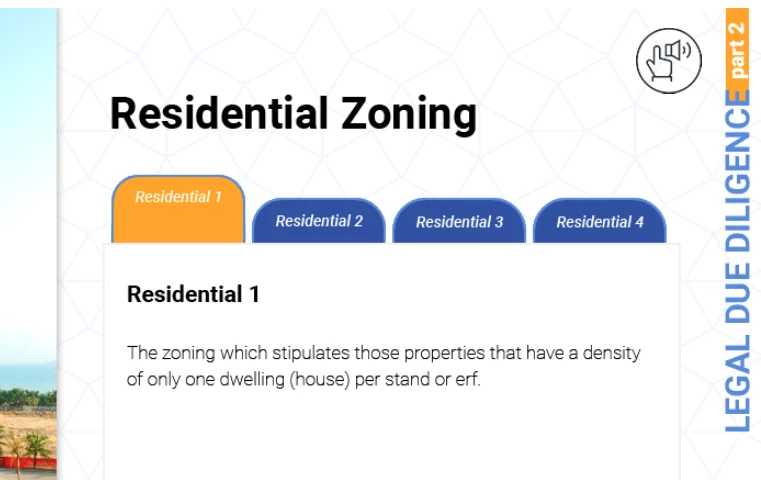
 

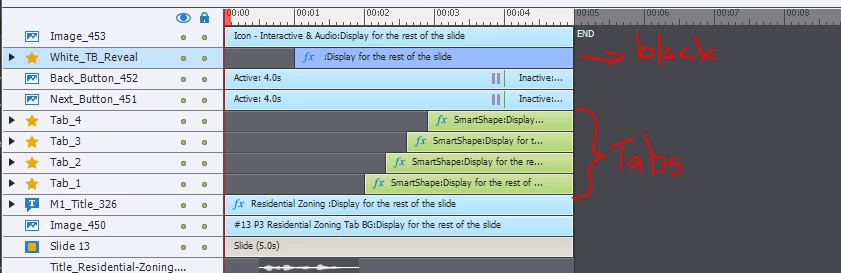
Here is the view of the layers panel - the block lies above the tabs:
 

BUT in the published SCORM, the 3rd and 4th tabs pop up above the white block when clicked and the state of the tab changed:
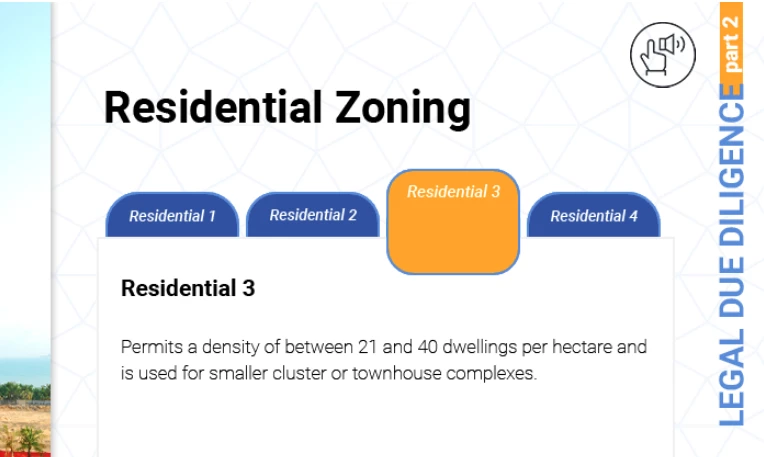
 

I did check - the block opacity is 100% in all the different states to be triggered, so it is not disappearing, as you can see by the grey outline.


What am I missing here?

Help appreciated!

    This topic has been closed for replies.

    1 reply

    Lilybiri
    Legend
    May 2, 2023

    Thanks for posting all those screenshots, but I am missing some:

    • Screenshot of the Object State panel for at least one of the 'tabs'. You talk about a 'Clicked' state but I don't know if you mean the InBuilt State labeled 'Visited' or a custom state?
    • Screenshot of the used Advanced action (why not a Shared action?).
    • What is the function of that 'WhiteTabReveal' shape? Or has it nothing to do with the tabs interactions?
    • Did you activate the option 'Retain state....'?
    • Are all those screenshots taken during one visit to that slide or not?
    • You have a lot of motion effects on that slide, but they are collapsed in the Timeline view. Are those custom motion paths or did you use a default path?
    • When moving an interactive object you can lose its interactivity because the clickable part remains, that is why I ask about the motion paths. All shapes are interactive (green timeline).


    FrancoisK
    FrancoisKAuthor
    Known Participant
    May 2, 2023

    Thank you Lilybiri.

    Here is a screenshot of the object state - the orange is a custom state since it contains another shape moved up to stand out:

    The advanced action of 3rd tab:

    Action of the first tab:


    (I am not familiar with shared actions; have seen them and seen a video, but have not taken the necessary time to delve into it).


    No I have not activated retained state:


    Regarding the screenshots - they are from one visit, but after I tried replacing the SCORM and clearing cache, the result was the same.


    The motions are "ease in top" from the timing effects list.


    The interactivity does not seem to be lost, it is just that two of the four objects appear above the layer when changing to the custom state, while the other two don't?

    Lilybiri
    Legend
    May 2, 2023

    Sorry, but I wanted to see the Object State Panel which you open with the State View button in the Properties panel. I suspect you could learn something from this blog post, because it is perfectly possible to add an item to an InBuilt state:

    https://blog.lilybiri.com/button-states-basics-and-tips

    As for the actions: there is no need to use Stop Triggered Audio if you just want to play another audio clip using the Play Audio command. Reason: if a first audio clip triggered by Play audio is still playing, it will automatically be stopped when using a new Play Audio command.

    I still don't see answers to all my questions: what about the motion effects? What about that WhiteTabReveal multistate object? I see it is a multistate object with another motion path attached to it.