Known Participant
August 28, 2013
Answered

Objects appearing a split second too late....

  • August 28, 2013
  • 1 reply
  • 1952 views

Hi, I have been having trouble with single object appearing a split second afte the others on the my slide.  Here the "instruction" smart shape should be visible when this slide starts, but it comes a half second late...  Does anyone have any idea what maybe causing this glitch?       
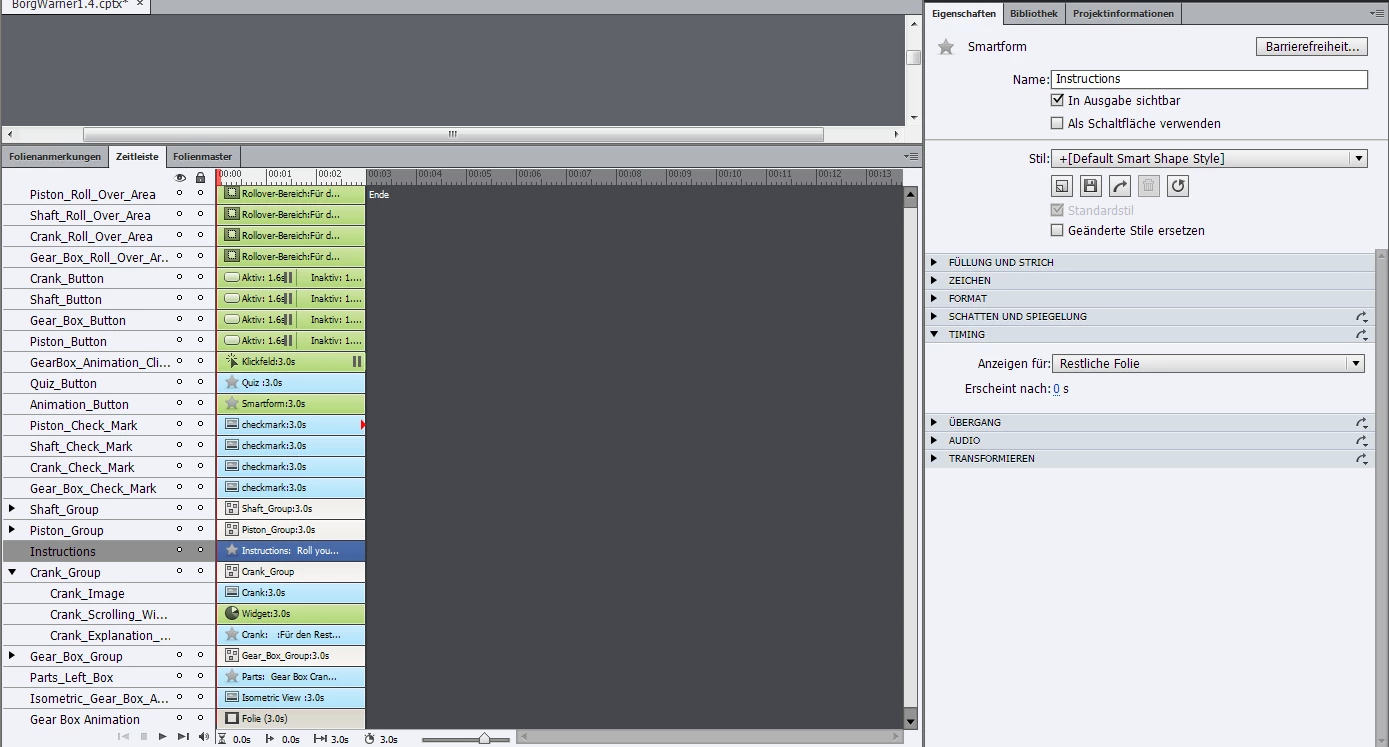
Below I have a slide where the video object appears a half second late.  It is also scheduled to appear at 0.0 seconds.

Thanks for any help!

This topic has been closed for replies.
Correct answer Lilybiri

Hi Hairodoss,

Yes, I used shared actions, too.  I just have a problem that the drop down list of objects to select from each time is not in alphabetical order, and you cannot amend the shared action by deleting one of the parameters entirely.


Ryan, definitely have a look at my webinar, and at my previous answer.

If you want to edit a shared action, you'll have to use the second work flow I explained there.

Editing a shared action is not directly possible, you'll have to turn it into an advanced action, then edit, then save it again as a shared action (you can use the same name). But you'll have to attribute it again to all the triggers.

Lilybiri

1 reply

rscharferAuthor
Known Participant
August 28, 2013

This video in the second slide shows the circular "video loading" icon.  I am not sure if there is anyway to ensure the video is "preloaded" when you come to that slide.

Ryan

Participating Frequently
August 28, 2013

Hi,

Are you having any object transition or effect set on this smart shape?

You are seeing the issue with swf publish or html5?

Regards,

Haridoss

rscharferAuthor
Known Participant
August 29, 2013

Hey,

There is no transition or effect...

I tried publishing it as HTML 5 (and not SWF) and nothing seemed to work -- my rollover picture objects for one.  Then I thought that maybe because I originally began the project in Captivate 6, and am now using Captivate 7, I am seeing these problems.  So I just created a new project with Captivate 7 and am now cutting and pasting the slides from the old project to the new one.  Right now, there is no problem with the late entry of the smart shape like mentioned above, but I need to to create all of my advanced actions over again, and I think that is what causes the problem somehow...

Ryan