
Inspiring
January 25, 2017
Question

Objects display on top of others

  • January 25, 2017
  • 3 replies
  • 2941 views

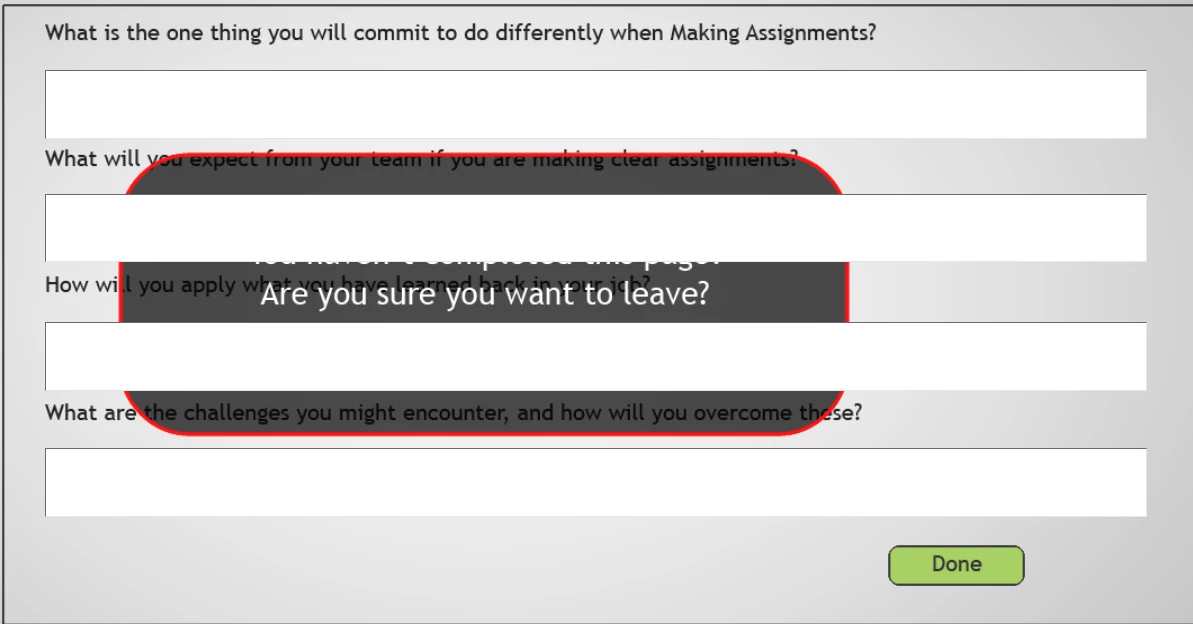
One of my slides has 4 Text Entry Boxes, and if the viewer tries to continue to the next slide without filling in all of the TEB's, a warning message appears to make sure they want to continue without completing the TEB's.

So, my 'warning message' objects are Grouped, and the action on the Continue button displays the normally hidden Group. The warning message Group is at the top of the timeline, and the TEB's are further below. However, the TEB's display on top of the warning message Group, but only online. When viewed locally, the warning message Group displays normally - on top of everything.

I'm publishing to HTML5.
    This topic has been closed for replies.

    3 replies

    sebrameAuthor
    Inspiring
    January 26, 2017

    The issue is duplicated in a new project with only one slide with one TEB and a hidden Rectangle. Clicking a button to Show the rectangle displays it underneath the TEB.

    Time to contact Adobe. Need this fixed, or a workaround.

    Lilybiri
    Legend
    January 26, 2017

    I have a workaround, did not double check, sorry. It is described in a blog

    post about shape buttons for quiz slides. Put that object on the previous

    slide, display for rest of project, always on top. Of course you will have

    to hide when leaving the slide on which you showed it.

    sebrameAuthor
    Inspiring
    January 26, 2017

    Actually, I'm just changing the z-index values, which is where the problem lies. Captivate seems to want to give TEB's a higher z-index.

    Lilybiri
    Legend
    January 25, 2017

    In Captivate it is not a good idea to reuse names. You could just change on character to a capital. Moreover you can filter in the dropdown list, type a sequence of characters and only the names with that sequence will remain in the list. I wanted to warn about that, had really tough issues in the past when using same name for totally different items, now avoid it always by using a strict labeling discipline. Every variable for me starts with v_

    I see that the warning message is a group, wonder if that could be the cause? Will check.

    Lilybiri
    Legend
    January 25, 2017

    Which version do you use? Can you post a screenshot of the timeline and of the actions as well?

    sebrameAuthor
    Inspiring
    January 25, 2017

    Hi Lieve!

    I'm using Version 9. Here are the screen captures...

    sebrameAuthor
    Inspiring
    January 25, 2017

    To be more specific, Version 9.0.2.437