Inspiring
August 5, 2016
Question

Obtaining Completion status on Learning Partner LMS

  • August 5, 2016
  • 2 replies
  • 268 views

Having trouble obtaining Completion status on Learning Partner LMS. After successfully completing course the status remains "Enrolled." My course shows "Completion" status on Scorm cloud.

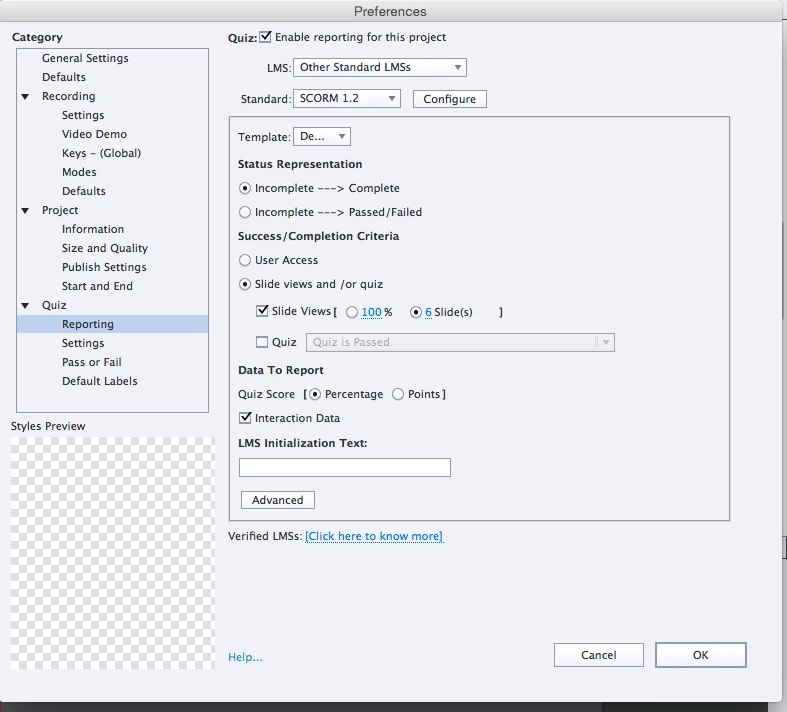
Course is SCORM 1.2. Set for Incomplete/Complete based on number of slides viewed.

There are NO points associated with any interactions: "total points 0." There are some quizzes but no points are associated.

I am not sure how to use the RESULTS slide. I had a continue button so I could go to a last page but it does not operate. I cannot recall how that page works! Regardless, I thought having the slides viewed set was enough. I think I need something at the end of the course to trigger completion on this LMS. (First time working with Learning Partners LMS.)
THANKS!

    This topic has been closed for replies.

    2 replies

    Inspiring
    August 5, 2016

    Will check out video! Thank you, Paul!

    Paul Wilson CTDP
    Community Expert
    Community Expert
    August 5, 2016

    Everything looks okay. I'm really not certain why it works in SCORM Cloud but not your other LMS. My instinct would suggest that something isn't setup correctly in the LMS. Generally if a course published in SCORM 1.2 works as expected in one LMS it should behave the same elsewhere.

    Have you you tried lowering the number of slide views to 5 to see if that works?

    If if you would like to change some of the default behaviours of your quiz results slide you can take a look at this video I prepared awhile ago. Hope you get something out of it. I often change my continue button to simply exit the course.

    http://youtu.be/hr-MUPFOdoQ

    Paul Wilson, CTDP