# of questions in quiz
I'm trying to use Captivate 7. I think I like it, and will likely purchase it before my trial runs out. I successfully created a SCORM activity quiz last week. When I tried to replicate that today, it did not work as well. So . . . I created a template from the quiz that worked, then deleted questions from that quiz, and am adding new questions for this week.
At this time, however, my new quiz has only 3 questions. The one that I based the template on had 38 questions. As I have run previews on the quiz, I actually see: "Question 3 of 38."
This quiz (when finished) will not have that many questions in it. I cannot seem to find a way to RESET the total number of questions.
Here is a screen capture that shows my dilemma.
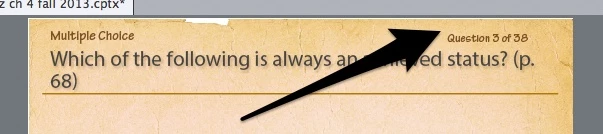
Basically I want that counter, "Question x of xx" to reset, to match the number of questions currently in the save project.
I will appreciate any help you can give me.
 AdChoices