
'On Enter' not executing conditional action - captivate 8
Hi
I have a simple advanced action where if a variable is equal to '1' a button should show and another be hidden.
I've added a text box with the variable in to test that on entering the slide from the correct part of the file it is equal to '1' which you can see in the image below.
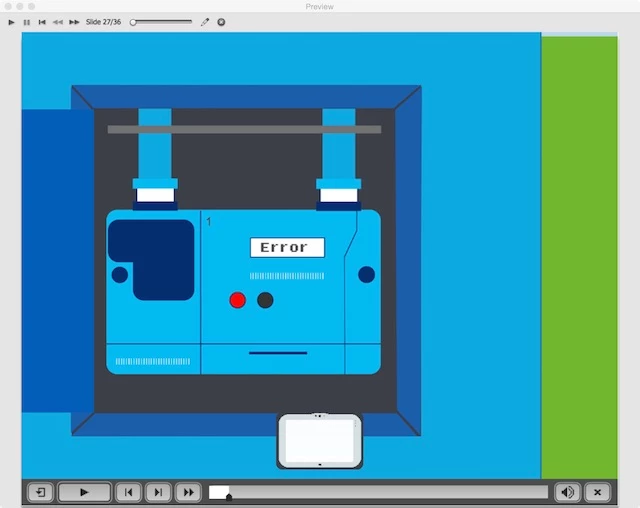
But for some reason the conditional action doesn't seem to be triggering when entering the slide.
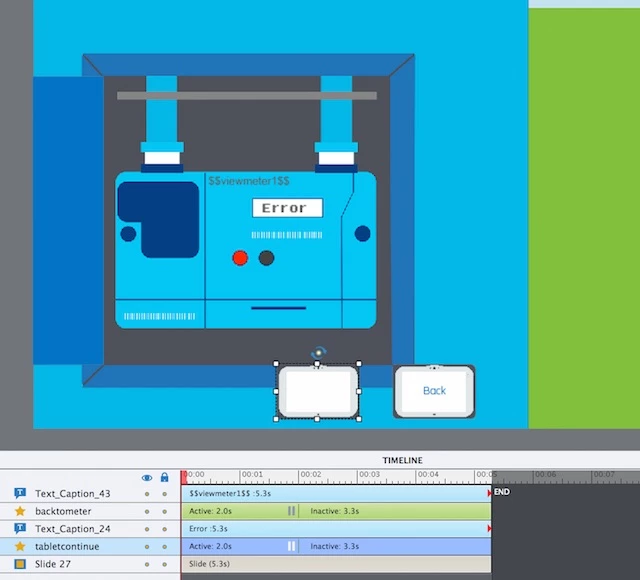
'Tabletcontinue' is the the image in the screen shot that is always showing.
'backtometer' is the button that is hidden on output that should show when the variable is equal to 1.
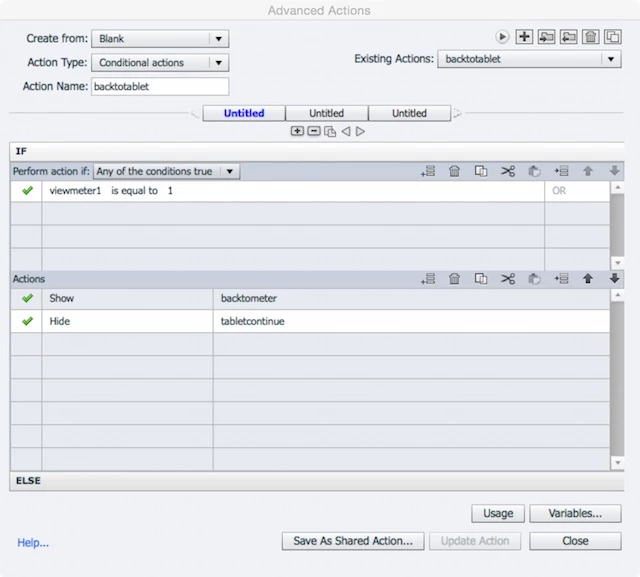
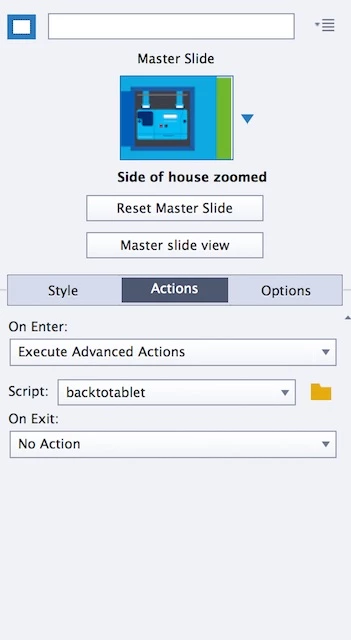
However it's not. I've tried adding in a section in the 'else' tab which is a reverse of what's in the 'actions' tab.
I also tried a test and changed the conditional action to simply hide the 'tabletcontinue' button if the variable was equal to '1'.
But it didn't make any difference as it seemed on entering the slide the conditional action just wasn't triggering.
Any ideas on what's stopping it from working? Below is an image of the timeline to help.
 AdChoices