Inspiring
December 29, 2016
Answered

On Enter not triggering Action

  • December 29, 2016
  • 1 reply
  • 399 views

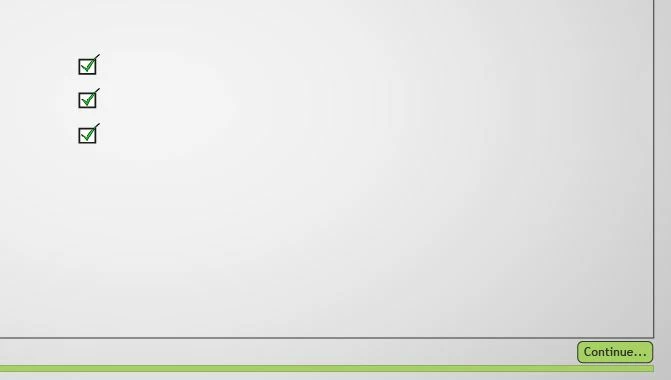
Very simple setup here, and yet I can't make it work. I simply have 3 buttons that when each are clicked show a checkmark image, and set a variable from '0' to '1'.
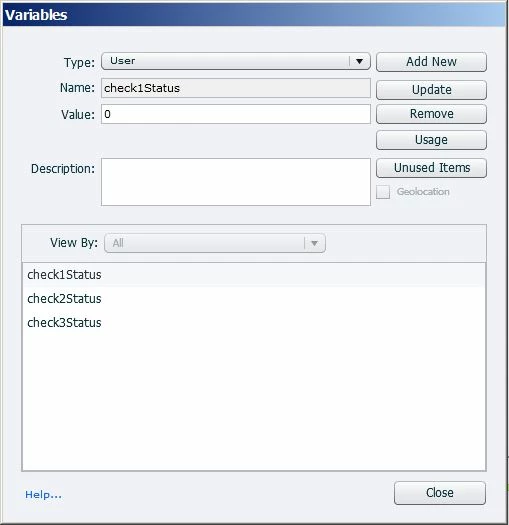
I then have a conditional action that when each of the 3 variables are '1', to Show a button to continue.
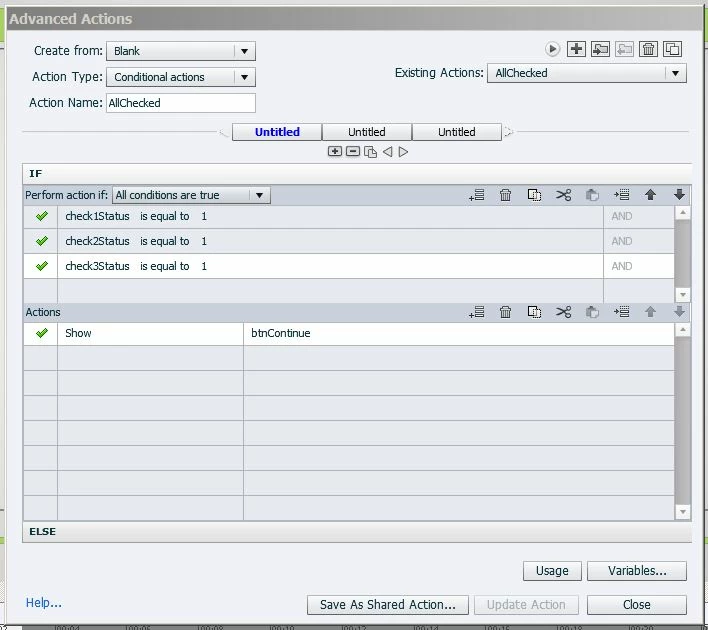
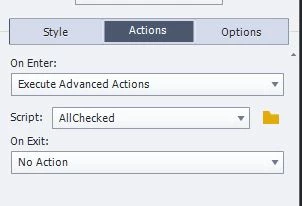
An 'On Enter' event is set to trigger the action to show the Continue button, except that it doesn't.
I've confirm that all of the variables are being assigned '1' with '$$check1Status$$', etc.

Once again I'm following a couple of tutorials here. Am I right in thinking that an 'On Enter' event only occurs when a slide initially appears, and doesn't then sit a listen for the variable conditions to be met?

I've inserted a slide before this one to enter from, in case the On Enter event wasn't triggering because it was the only slide.

    This topic has been closed for replies.
    Correct answer Lilybiri

    Very common question, always the same misunderstanding.

    The On Enter event can only trigger an action when you enter a slide, not while you are on the slide. You have to combine the conditional action with the standard action, and have them executed by the three buttons. That means a conditional with two decisions:

    First decision 'Always' will be a mimicked standard action because the condition is always True:

       IF 1 is equal to 1

          Show Checkmark1

          Assign v_one with 1       sorry use another name for the variable

    Second decision 'Checkit' is your conditional action

       If v_one is equal to 1   AND

          v_two is equal to 1    AND

          v_three is equal to 1

      Show Bt_Continue

      Enable Bt_Continue

    Duplicate that action twice and edit the first decision for he second and the third button. THe second decision doesn't need editing.

    I have multiple examples on my blog.

    1 reply

    Lilybiri
    LilybiriCorrect answer
    Legend
    December 29, 2016

    Very common question, always the same misunderstanding.

    The On Enter event can only trigger an action when you enter a slide, not while you are on the slide. You have to combine the conditional action with the standard action, and have them executed by the three buttons. That means a conditional with two decisions:

    First decision 'Always' will be a mimicked standard action because the condition is always True:

       IF 1 is equal to 1

          Show Checkmark1

          Assign v_one with 1       sorry use another name for the variable

    Second decision 'Checkit' is your conditional action

       If v_one is equal to 1   AND

          v_two is equal to 1    AND

          v_three is equal to 1

      Show Bt_Continue

      Enable Bt_Continue

    Duplicate that action twice and edit the first decision for he second and the third button. THe second decision doesn't need editing.

    I have multiple examples on my blog.

    sebrameAuthor
    Inspiring
    December 29, 2016

    You are an absolute angel!

    Lilybiri
    Legend
    December 29, 2016

    Closer to a Captivate devil....