Inspiring
August 14, 2018
Question

On revisit, AA is not triggered

  • August 14, 2018
  • 1 reply
  • 653 views

Hi,

this is potentially a thing I am just not seeing but I have a slide with an AA that let´s you choose one of 3 options.
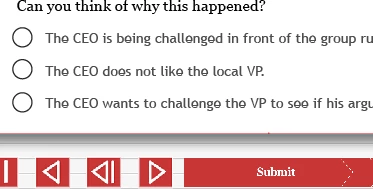
If the user clicks submit without choosing anything a box appears stating the they need to do so.

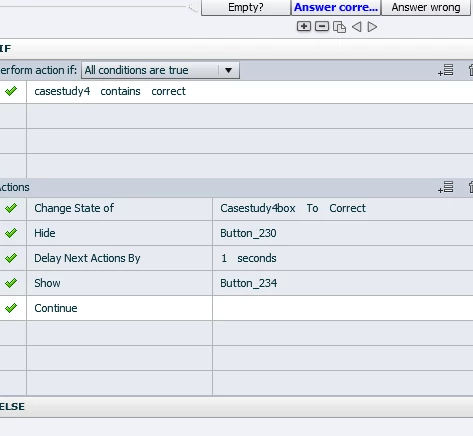
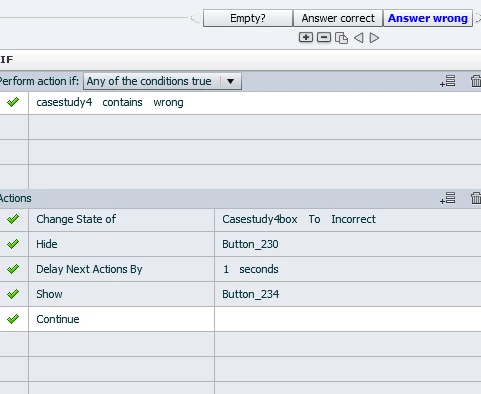
The other 2 states of the same box are for "correct" and "wrong" answer.

The problem is that when I go to the same slide again in the same visit the submit box never appears.
I guess because it has been answered and the state is retained.


Even though I have assigned the both "0" and "v_null" as a trial on Slideentry.
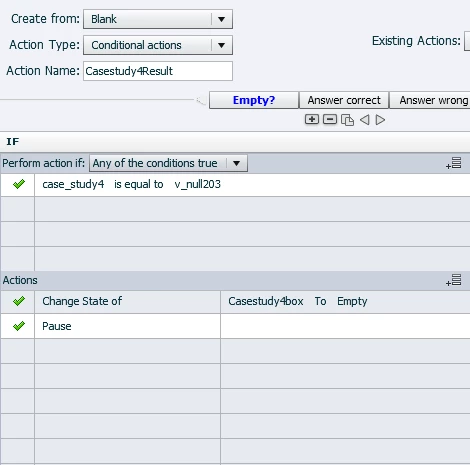
What am I missing?

Thanks a lot!

    This topic has been closed for replies.

    1 reply

    Lilybiri
    Legend
    August 14, 2018

    Hi Nikolaus, have a couple of questions:

    1. Can you please use the Preview feature to show a conditional action with all its features in one screenshot? Now I have to increase the size of each of the screenshots and try to 'stitch' them together in my mind. The Preview button is the arrow button in the top right control panel of the AA dialog box.
    2. You seem to have read my posts about Where is null, at least you are using the same name for the empty variable. Why do you give it such a specifi name? It is empty, can be used for any action, no need to make that label so specific.
    3. You talke about 'revisiting' the slide. The On Enter action (which you don't show, would like to see it) is only done when you really re-enter the slide. Is that the case? What do you reset in that case?
    Inspiring
    August 14, 2018

    Hi, thanks!

    1.

    2. Yes, I read your posts. I name them differently because there are many case studies in this module. Through Copy/paste there is also strange naming happening...

    3. If you use the "go to previous slide" or TOC to go the same slide again. (Users wanting to rewatch etc.)

    Lilybiri
    Legend
    August 14, 2018

    Take out all the ELSE parts, please. It is very rare in a conditional action with multiple decisions to use the ELSE part, could lead to strange results. You have only 3 possible situations: empty, correctn or incorrect, not need for any ELSE part. 

    Change the variable v_nul….. to the normal v_null. There is only one empty variable needed for everything. What you say about names when duplicating, is called 'intelligent naming'. Objects etc keep their original name but to make the name unique for the duplicate a number will be added. For the variable v_null, delete the number please. You seem to have copy/pasted a lot from the numbers. Be careful with that!

    I still don't understand the revisit. Normally when clicking on a slide in the TOC, learner re-enters the slide, but if he clicks on the same slide as where he is, there is no re-enter. But that seems not possible since you Hide the TOC with the On Enter event, and I don't see a Show TOC command.

    The first action is triggered by the Submit button with one attempt? What is the workflow to populate the variable 'casestudy....'? I see that you use the contain operator, so that means this var has either the word "correct" or the word "wrong" in its value?