

Question
Open HTML file on click of button
Hi there,
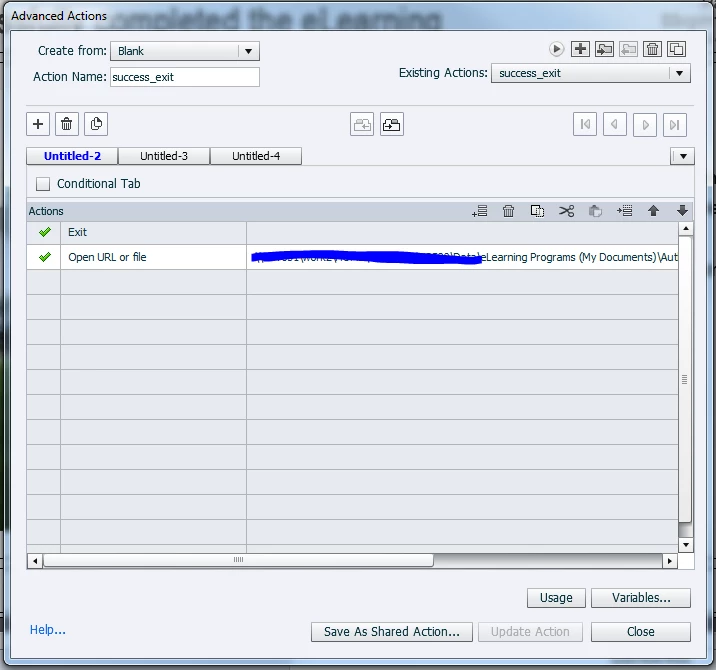
I'm trying to have a HTML file open / eLearning program exit on the click on a button.
The HTML file isn't uploaded online, it's just a file in my documents at the moment, as you can see below in the advanced action.
I'm not sure how to make this work. When I upload it on to my LMS, on click all that opens is a broken 'Page cannot be found' link. I had it working for a period there but not intentionally, for some reason it just seemed to work on its own.
I imagine that I have to copy the HTML file in to the SCORM zip somewhere and maybe change the file part below so that it isn't specific to my local drive.
Does anyone have any experience with this?
I use Adobe Captivate 2017 version 10.0.193.
Any help would be much appreciated.


 AdChoices