
Open URL or File Not working in Firefox and Chrome (_blank)
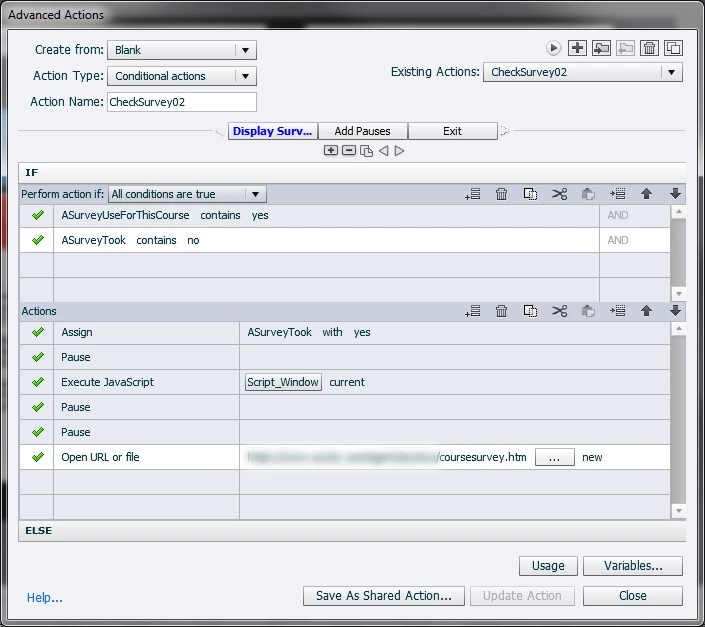
In Captivate 8 I have created an advanced action where if the student clicks on an exit button, we present them with a pop-up web page in a new tab with a survey on it from our company website and also exit the window which was running the online course. The problem is that it only seems to create this pop-up browser window when the student is using MS Internet Explorer.
We made sure that the pop-up blockers were turned off when we tested Firefox and Chrome, but that didn't fix the problem. The PC's which were used to test this did have the Flash Player loaded on them for Firefox and Chrome.
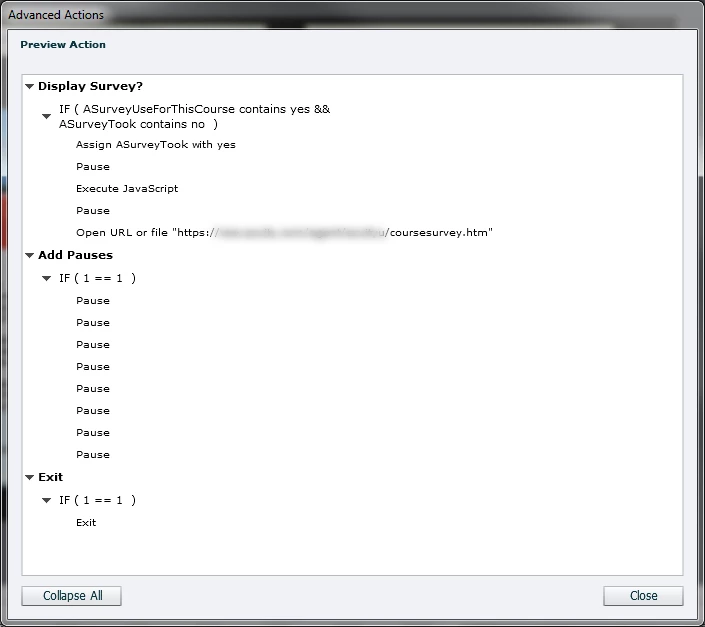
I initially had my Exit command on the same action page after a number of pauses, so I tried to move it later on a different page action and added more pauses, in case it was a timing issue.
Has anyone else run into this problem where the Open URL or File does not seem to be working in Firefox and Chrome even when no pop-up blockers were involved?
I do have Captivate 9, but I cannot use that version because they made some internal changes and now my Javascript does not work correctly. Therefore I have to stick with Captivate 8 until they fix their code base.
Thanks
Randy


 AdChoices