Participating Frequently
July 3, 2016
Answered

Optimum Captivate project size for Ultra HDR 55" TV res 3840x2160

  • July 3, 2016
  • 1 reply
  • 346 views

Good afternoon all.

I am trying to set up a slideshow for display on a Ultra HDR 55" TV res 3840x2160. What's the best project resolution size?

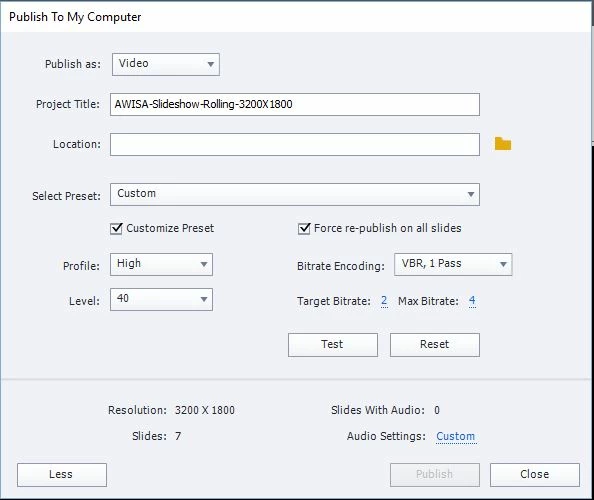
Captivate 9 doesn't seem to want to let me create a project resolution greater than 3200. So I set up the resolution for 3200x1800 (same aspect ratio as 3840x2160).

I'm working on building the slide show on a computer with screen res 2560x1440.
Many thanks for your input.

    This topic has been closed for replies.
    Correct answer Captiv8r

    I'm not creating elearning material in this instance. I want to combine photos and videos in to one presentation for a TV screen as a tradeshow. What else would you suggest to combine photos and videos such that they display/ play one after the other in a looped presentation?


    Personally, I'd probably use PowerPoint. Then create a video from it.

    Cheers... Rick

    1 reply

    Participating Frequently
    July 3, 2016

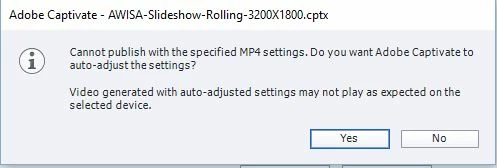
    Oh, and when I click "Yes", Adobe does not auto adjust anything. I keep going round in "can't publish" circles.

    Lilybiri
    Legend
    July 3, 2016

    Honestly, if you only want to publish to a video format, Captivate is not the appropriate tool at all. It is an eLearning authoring tool. Creating eLearning courses at such a resolution would lead to such huge file size that it the user experience when downloading from a LMS or a webserver would be a very frustrating experience.

    Participating Frequently
    July 3, 2016

    I'm not creating elearning material in this instance. I want to combine photos and videos in to one presentation for a TV screen as a tradeshow. What else would you suggest to combine photos and videos such that they display/ play one after the other in a looped presentation?