
Other users cannot open Saved Courses in Captivate 11
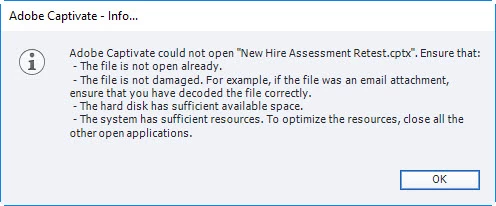
Hello. We have recently moved a license for Adobe Captivate 11 to a new user and are encountering an issue where whenever the new user creates or modifies a course the other users cannot open it, however she still can. We are getting the error:
Adobe Captivate could not open "File Name.cptx". Ensure that:
- The file is not open already.
- The file is not damaged. For example, if the file was an email attachment, ensure that you have decoded the file correctly.
- The hard disk has sufficient available space.
- The system has sufficient resources. To optimize the resources, close all the other open applications.
The help articles that I have read about this error are troubleshooting for when the file cannot be opened by anyone. We have looked into making sure the file is not locked, the IT Admin told us that the new user would have the same version as everyone else (2019 V11.0.0.243 / August 16, 2018) and there do not appear to be any differences in the save preferences. This did not happen with any of the previous users and we are saving to the same network shared drive. I’ve attempted to access both the primary and backup save files.
It is happening even when the new user does something simple like updating the wording of a single question slide and then saving the changes. I am able to access the file beforehand, but not after they save. Once the new user saves a file, they can still access it but all other users get the error message when opening the course.
Any help would be appreciated. Thank you for your time.


 AdChoices