elearningbuilder11
Inspiring
May 25, 2017
Question

Pause Project Until User Clicks?

  • May 25, 2017
  • 1 reply
  • 621 views

Hello,

This was shown n another post:  "Pause project until user clicks"
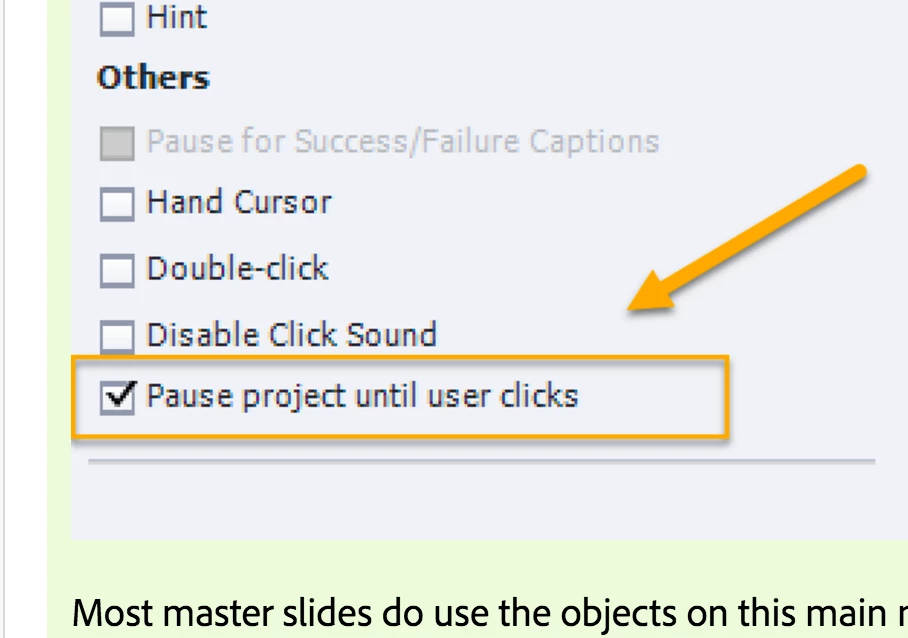
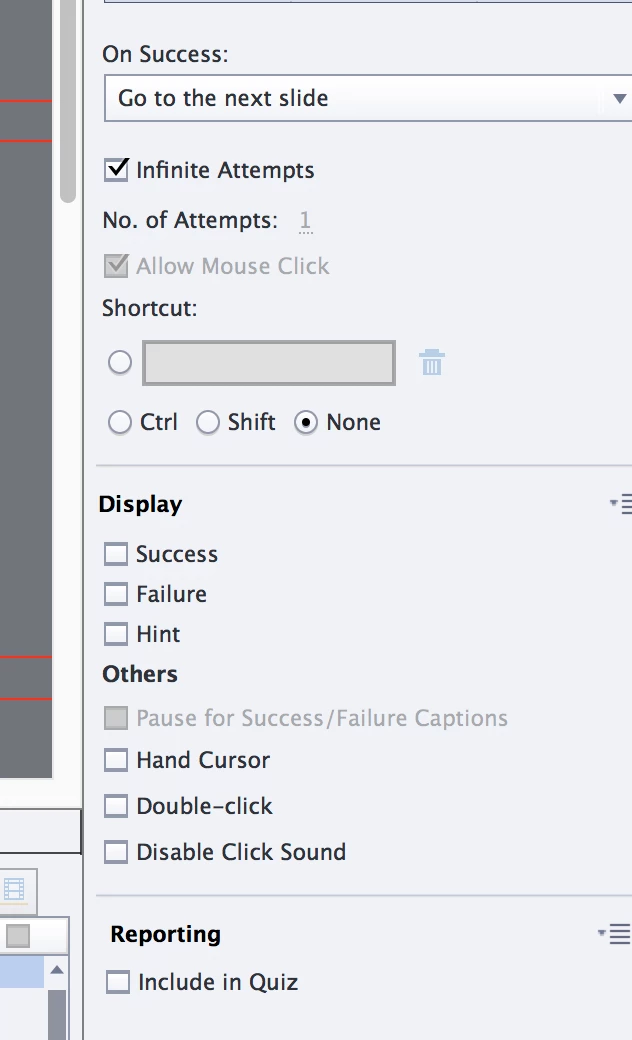
I am looking at the same properties for a SmartShape in CP 10/2017.

Where is it in this version?
Thank you.

    This topic has been closed for replies.

    1 reply

    elearningbuilder11
    Inspiring
    May 25, 2017

    Or is it only available in the Master slide?

    Lilybiri
    Legend
    May 25, 2017

    What is your question about that screenshot? I posted it for a user who wanted to pause each slide at its end. The full explanation is in the that other post. What is your question here?

    Objects on the master slide have never a duration, contrary to objects on normal slides, which are managed in the Timeline.

    If you want an interactive object to pause on the normal slides, you'll find the option in the Timing Properties panel. That panel doesn't exist for objects on master slides because they don't have timing. Maybe you have to read my articles about timeline?

    elearningbuilder11
    Inspiring
    May 25, 2017

    I have never seen the option for " Pause project until user clicks" before. Is that only an option in the slide master ? It could be very useful.

    If not, I do not see that option outside the slide master in CP10.

    Thank you.