
Inspiring
August 13, 2018
Answered

Pausing a video object

  • August 13, 2018
  • 3 replies
  • 563 views

Hello again ,

I have a customer that needs all videos and activities (eg Drag and drop) stopped while the "Help" window is opened.
The problem is that I can stop the audio and playback of the real slide but do not know how to do that with a video inside the slide.
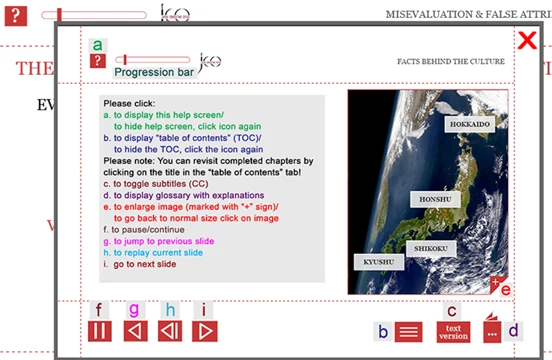
It is done through this AA:
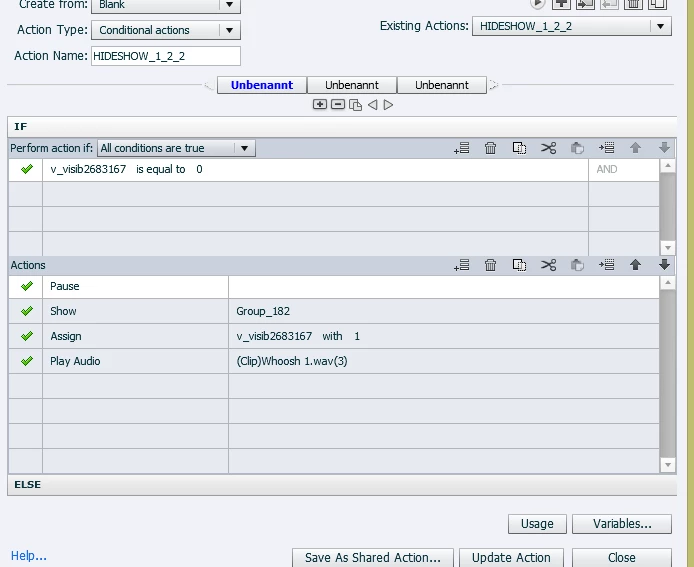
  1. a. Is there any way to pause a video object?
  2. b. What other slides / processes are not affected by "pause"?

Thanks a lot!

    This topic is closed to new replies. Start a new post to keep the conversation going.
    Correct answer Lilybiri

    If this is event video, there is no way to pause the video because it plays independently of Captivate, reason why it has its proper control panel. If you need to pause the video, you have to use syncrhronized video. Have a look at:

    Pausing Captivate's Timeline - Captivate blog

    3 replies

    Lilybiri
    LilybiriCorrect answer
    Legend
    August 13, 2018

    If this is event video, there is no way to pause the video because it plays independently of Captivate, reason why it has its proper control panel. If you need to pause the video, you have to use syncrhronized video. Have a look at:

    Pausing Captivate's Timeline - Captivate blog

    Inspiring
    August 13, 2018

    Basically what I thought...

    Now I have resorted to simply hide the video when the help screen comes up and then show it again afterwards. Not very elegant...

    TLCMediaDesign
    Inspiring
    August 13, 2018

    You can pause an event video with JavaScript

    Pause video:

    document.getElementsByTagName("video")[0].pause();

    Play video:

    document.getElementsByTagName("video")[0].play();