
Participant
February 28, 2024
Answered

Phantom Background Music

  • February 28, 2024
  • 1 reply
  • 283 views

Hi,

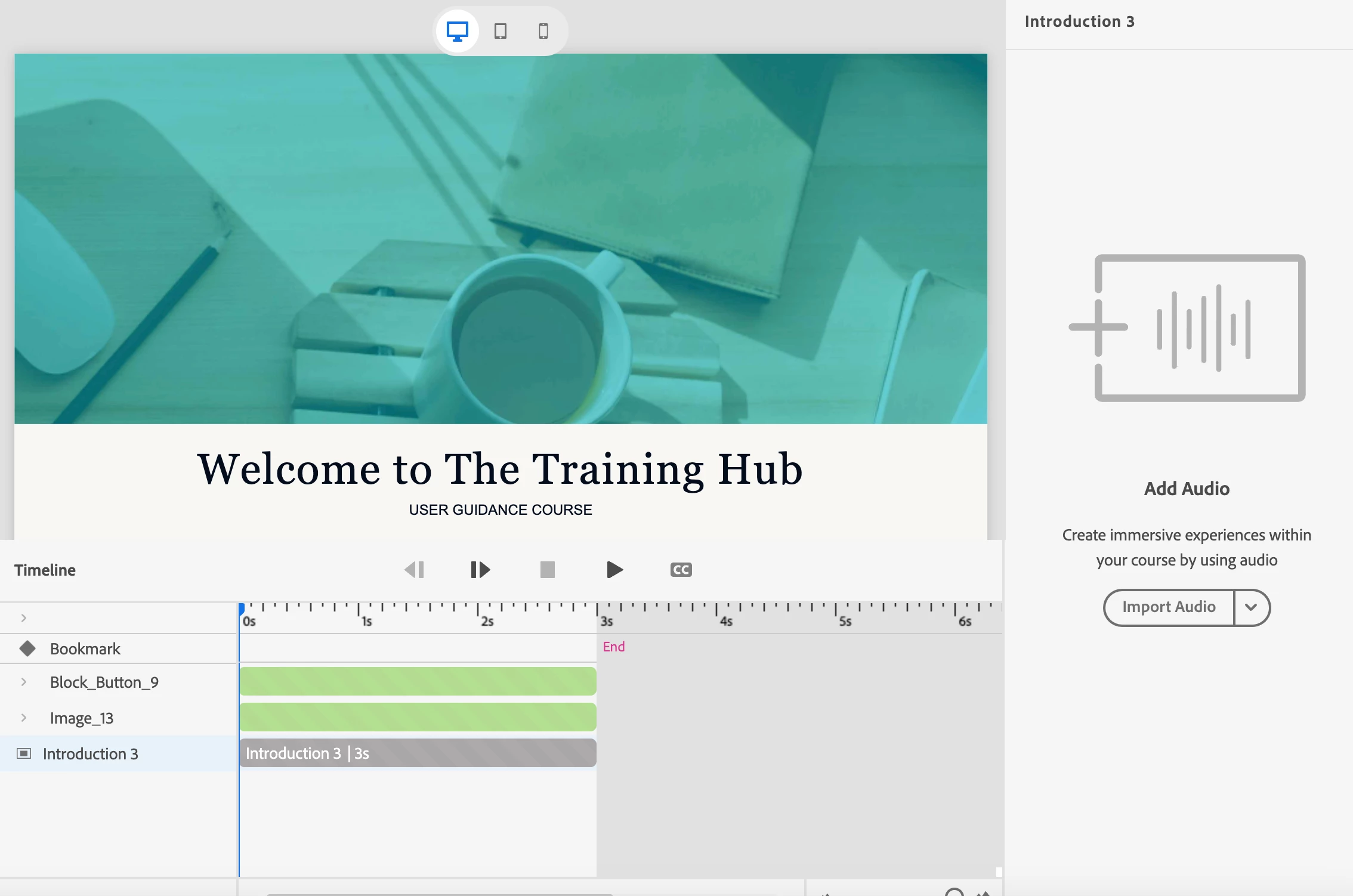
I added looping background music to my project and then deleted it. However, the music won't delete. I have checked every object on every slide, and there is no audio in the project. I have also checked all the timelines, and there is no audio. However, I can't get rid of the music. I'm attaching a screenshot of a slide that plays the music, but the music isn't visible in the audio or on the timeline. It's the same on all the slides.

Thanks for your help!
    This topic has been closed for replies.
    Correct answer Lilybiri

    So sorry... I can only offer a possible way of getting out by treating it like the project has been corrupted.

    Create a new project with the same Theme settings (you can save and apply a theme, not Preferences which is another missing feature). Copy/paste small bunches of slides and check after each paste action if you still hear the background. step back.

    I will try to explore the output (still use the more professional 11.5.5.553 for my jobs) folder to see if  the audio clips can be found there. If that is possible you could replace it with a clip which is full of silence because I fear you will not be able to take it out. Will be back when I have it checked out.

    1 reply

    Lilybiri
    Legend
    February 28, 2024

    You are using the new version, or I could offer you a way to detect the origin of the problem. However that new version is missing the Project Library which was available in all previous versions. You could have found the audio clip in that Library, which has also a button 'Usage' for each asset. Sorry, there is no way to have a workaround for this missing feature.  During beta testing I was promised the Library since 2019 but it is still not included.

    Participant
    February 28, 2024

    Thanks for the insights! I am using the new version...

    Lilybiri
    LilybiriCorrect answer
    Legend
    February 28, 2024

    So sorry... I can only offer a possible way of getting out by treating it like the project has been corrupted.

    Create a new project with the same Theme settings (you can save and apply a theme, not Preferences which is another missing feature). Copy/paste small bunches of slides and check after each paste action if you still hear the background. step back.

    I will try to explore the output (still use the more professional 11.5.5.553 for my jobs) folder to see if  the audio clips can be found there. If that is possible you could replace it with a clip which is full of silence because I fear you will not be able to take it out. Will be back when I have it checked out.
