Phone Gap In App Browser Javascript
I am creating a IOS iPad App version of my elearning course using the Captivate 7. I am also using Phone Gap's Cordova's InAppBrowser javascript to open links in the IOS.
in Captivate 7 I am using a button and the execute Javascript action below to open links.
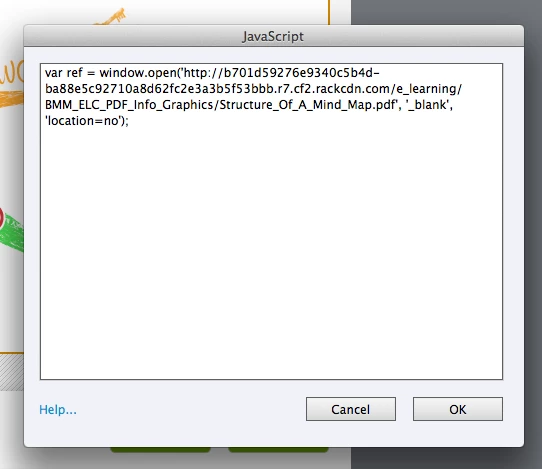
I have built and tested the the app using the Captivate App Packager and Phone Gap Build and it works well.
When the button is selected to view the external PDF a new IOS native screen apears and the user can see the PDF the user can also close the resource and go back to the app by selecting the "Done" button.
If the user then opens that same pdf again then closes it, it jumps to the next slide in the captivate course this only happens the secound time the users selects the same button to veiw the PDF resource.
How can I stop this from happening? Is there same sort of confliction with other javescript being used on the slide? I am using the pause function on buttons to stop it continuing to the next slide as well.
Thanks,
Oliver
 AdChoices