


justinas63704344
Participant
May 27, 2015
Question

Playback controls for swf attachment

  • May 27, 2015
  • 1 reply
  • 188 views

Hi

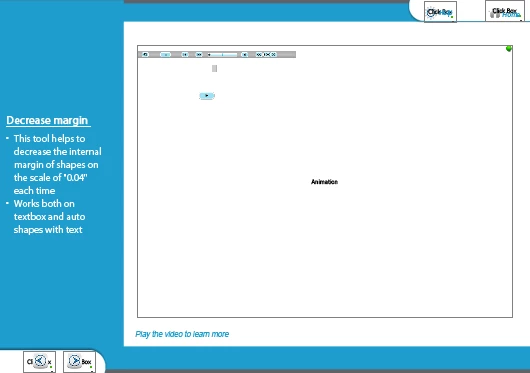
I am working on Cptivate 7. I'm developing a module where an swf animation which was created using captivate is inserted into another captivate screen. Something like what you see below.

I have a struggle here. I want the user to read the text on the left panel and then play the video to see how the tool works. But what happens here is that the video starts loading as soon as the slide appears. Can anyone suggest me some workaround to pause the video until the user plays it.

If advanced/conditional actions could be used, kindly let me know how i can use them best. I'm on a hard cut deadline and any suggestions on this would be greatly appreciated. Thanks
This topic has been closed for replies.

1 reply

RodWard
Community Expert
Community Expert
May 27, 2015

Quite honestly, my suggestion would be to try to talk you OUT of doing this.  Nesting one Captivate SWF inside another is a bad idea.  The settings in the internal SWF can quite often conflict with those of the outer SWF, leading to some weird behaviour.  The other problem people usually complain about is that after they've captured the inner SWF they find it's too large and needs to be resized in order to fit inside their intended parent SWF.  But when they DO resize it, they find that the captures are no longer crisp and the visual quality is degraded.

So, by all means go this way if you want, but when you encounter issues, remember that it wasn't a recommended strategy.

As far as preventing the SWF from playing until after the user has read the instructions, you can try setting its Visible in Output to OFF initially and then using a button or click box to SHOW the SWF when the learner is ready.  You could also have a button on the first slide of the inner SWF that pauses it until the learner clicks.  But sometimes people find they need to click this button twice because the first click only moves the focus to the SWF, requiring a second click on the button to execute its action.

justinas63704344
Participant
May 27, 2015

Thanks Rod for the warning as well as the suggestion.

I take your suggestion of hiding the video and then bringing it live with a clickable button. It should work.

Coming to you warning now. Thanks for keeping me posted that things might behave weird. I have actually set both their setting very same and the video frame is to the size of the inner screen, so i did not have a need to resize the screen.

Would try this and update you on the success.

Thanks again Rod