Participating Frequently
November 3, 2021
Answered

pointer shift in software simulation/video demo

  • November 3, 2021
  • 1 reply
  • 571 views

Hello,


I am recording a software simulation in Captivate 2019, windows 10, when exporting the clip, I can see the mouse arrow (pointer) is much lower than it should be. This is a problem when you show items in a list.
I changed the size in W10 settings, nothing changed. Any idea someone? thanks in advance.

    This topic has been closed for replies.
    Correct answer Lilybiri

    Bonjour,

     je parle de Démonstration video (.cpvc) car les Software simulation générant des vignettes, il est facile de replacer le pointeur de souris à l'endroit où l'on souhaite.
    Dans la Video demo, il n'y a pas accès à la souris, ni dans la timeline ni dans le canvas. Il n'y a pas d'accès aux paramètres, où alors je ne les vois pas. Il y a un éditeur général dans le menu Modifier=> Preferences mais rien ne me permet de changer les paramètres de la souris. Où se trouve l'éditeur dont vous parlez ?


    Il est parfaitement possible d'accéder la souris dans un projet cpvc. Je l'ai déjà mentionné dans ma réponse précédente. Il y a deux modes d'édition dans l'éditeur Video Demo. La mode qui se présente automatiquement permet 'Pan and Zoom'. L'autre mode, accessible avec Edit, Edit Mouse points, permet d'éditer les instances de souris. 
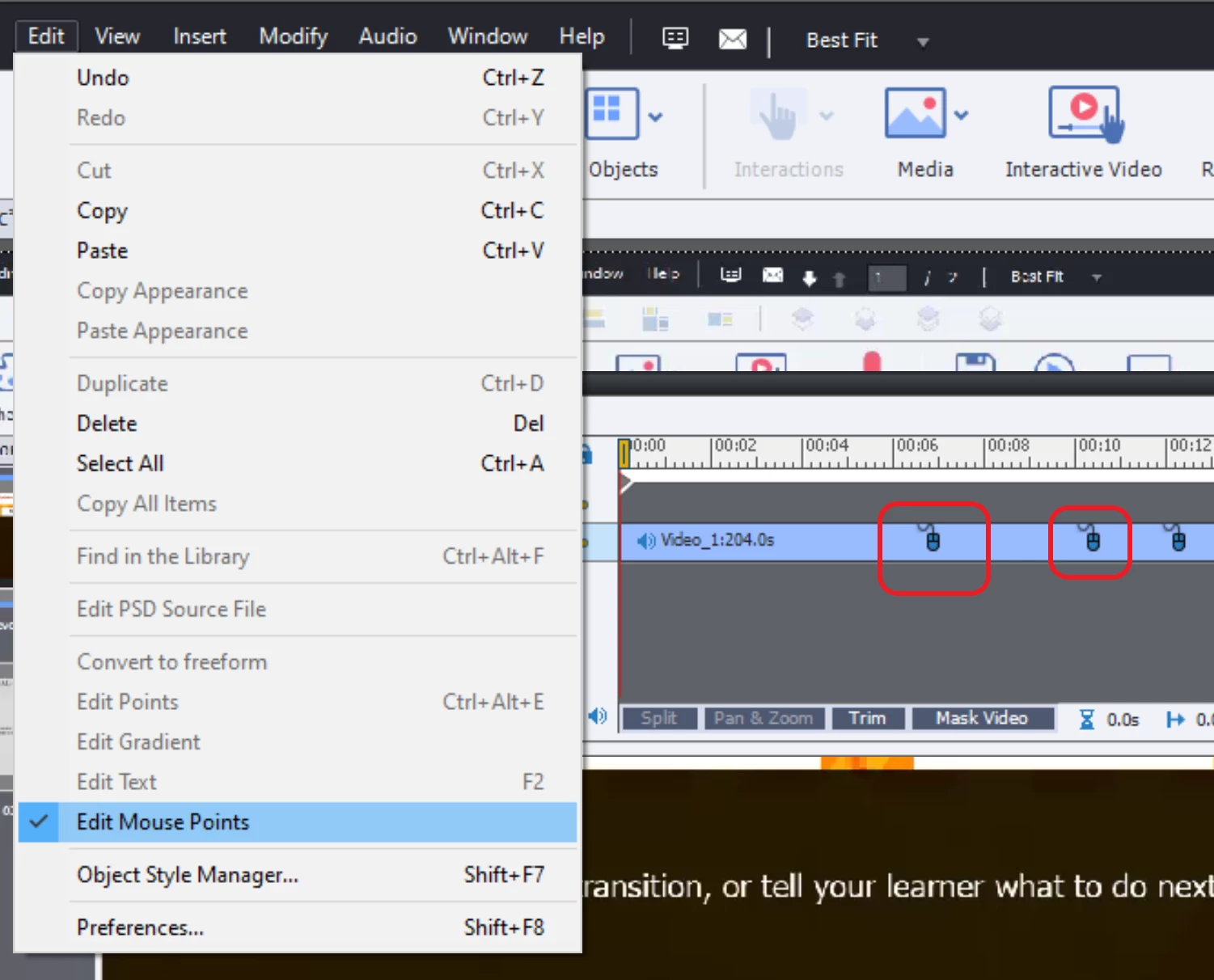
    Je ne connais pas la terminologie en français, mais l'image pourrait vous guider dans ce deuxième mode. Sélectionnez un des instances de souris dans le Timeline et vous auriez accès aux Propriétés.


    1 reply

    Lilybiri
    Legend
    November 3, 2021

    Did you edit the mouse object in the Video Demo editor? I created quite a lot of video clips recently but didn't have your experience at all with mouse objects. Honestly I often delete the mouse and show only the mouse click itself, because the mouse paths can be very slow and frustrating. My most recent blog post has 3 clips:

    http://blog.lilybiri.com/forced-view-for-tabs-interactions-shared-actions-as-template


    There were some issues with Video Demo in some of the CP2019 versions. Can you please check the full version number under Help, About Captivate? The most recent Win version is 11.5.5.553.


    Participating Frequently
    November 3, 2021

    Thank you,

    Following your advice, I changed the value in the video Demo editor and it  does not keep the new value, only the default settings (5). I have the latest version.

    Isabelle

    Lilybiri
    Legend
    November 3, 2021

    Can you post some screenshots?  Mouse Properties, difference between the edited and published version?

