Question
Possible to change review text color and wording
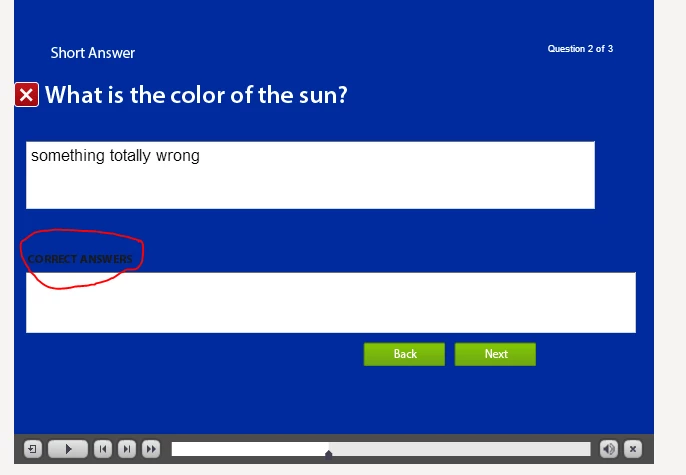
I've searched high and wide to try changing the text color for the review mode field "CORRECT ANSWERS" that shows on a fill in the blank/ short answer question. Ideally I'd like white text (it's set at black) and I'd like to have it say "Correct answer(s)" or even somethinge else. I don't like the all caps that's used either.
I've looked at the Object Style Manager but I don't see this particular field available/editable. Has anyone found where in the c:\Program Files\Adobe... files this setting is controlled - a .dll, .xml, .txt? I don't mind changing it to white there if I have to.
 AdChoices