
Participant
June 2, 2016
Question

PowerPoint 2016 and Captivate

  • June 2, 2016
  • 4 replies
  • 2456 views

Hi,

Has anyone had an issue with editing 2016 PPT files in Captivate 9?  I can import the PPT files into Captivate, but I can't edit the files in PPT in Captivate.  I get the following message:
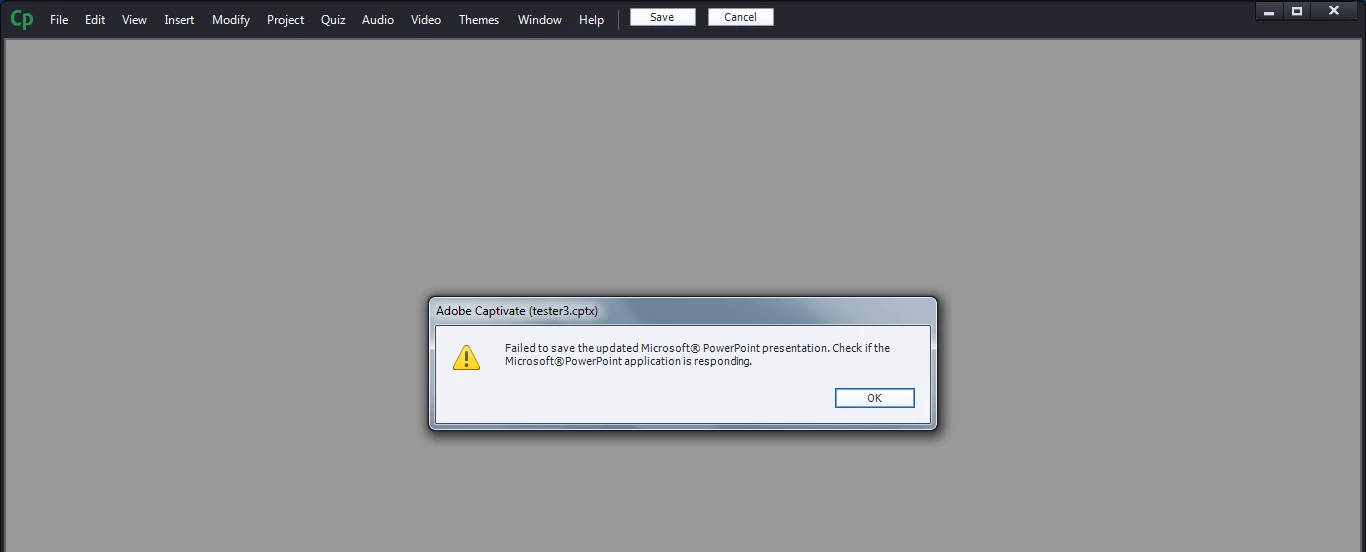
Any thoughts?

Thanks.

This topic has been closed for replies.

4 replies

Participant
December 7, 2016

I have looked everywhere for the solution and found out from Articulate Storyline to follow these steps to take care of this error.

  • Open Control Panel
  • Open Programs and features
  • Select Microsoft Office
  • Click Change
  • Click Repair
  • Restart Windows after Repair is completed
  • This works for both Storyline and Captivate
  • DONE!!!
Participating Frequently
December 7, 2016

Does this work for any version of Office? We have Office 365.

Participant
December 7, 2016

Not sure if it works for any version but I started getting this error in Captivate 9 after our organization upgraded our systems to Office 365.

You should see this screen after you click on the Change button. I selected Quick Repair option and it took about 5 mins to complete.

philippanmei
Participating Frequently
July 21, 2016

Hope microsoft powerpoint 2016 is not compatible for CP 9.

Save your powerpoint as powerpoint 97-2003 document and try to import your save as document in CP9.

If it is open up then absolutely its a compatible issue.

Thanks

Participating Frequently
July 21, 2016

If my lesson modules are based on pptx files and already have audio attached and I re-save the files as ppt, won't that ruin my entire lesson module? I will have to re-attach audio and re-scorm all my files, correct? I can't do that at this stage. Maybe Adobe should work on compatibility.

Lilybiri
Legend
July 21, 2016

PPT has never been a good start for creating a Captivate eLearning Course. Those two tools are too different, and have a different goal as well.  If your main work flow for creating eLearning is based on PPT, it would be better to use a PPT plug-in like Adobe Presenter, iSpring or Articulate Presenter.

Participating Frequently
July 18, 2016

I have the same issue. Our office recently upgraded to Office 2016. Soon after, I discovered that I could no longer edit slides with PowerPoint. No I have to make my edits in PowerPoint, then update the presentation later from the library. On occasion, this takes a LONG time.

Appreciate a real solution because I already have a work-around.

BDuckWorks
Inspiring
June 29, 2016

Click the object, right click and select 'Find in Library."

Right click it in the library, and select 'Edit with...' and select the PowerPoint application.

This will tell Captivate to open the in an external window, rather than opening the application inside Cp.

Note that there may be compatibility issues between Captivate and PowerPoint 2016, so YMMV.

Jefferbob12055564
Inspiring
June 29, 2016

Cap already recognizes the presentation in the library as a PowerPoint file, so the only option is "Edit with Microsoft PowerPoint". The generic "Edit with..." isn't available.

Compatibility specifically with PPT 2016 is the point of the post.