
Participant
October 8, 2019
Question

Powerpoint Ink not Importing to Captivate

  • October 8, 2019
  • 2 replies
  • 360 views

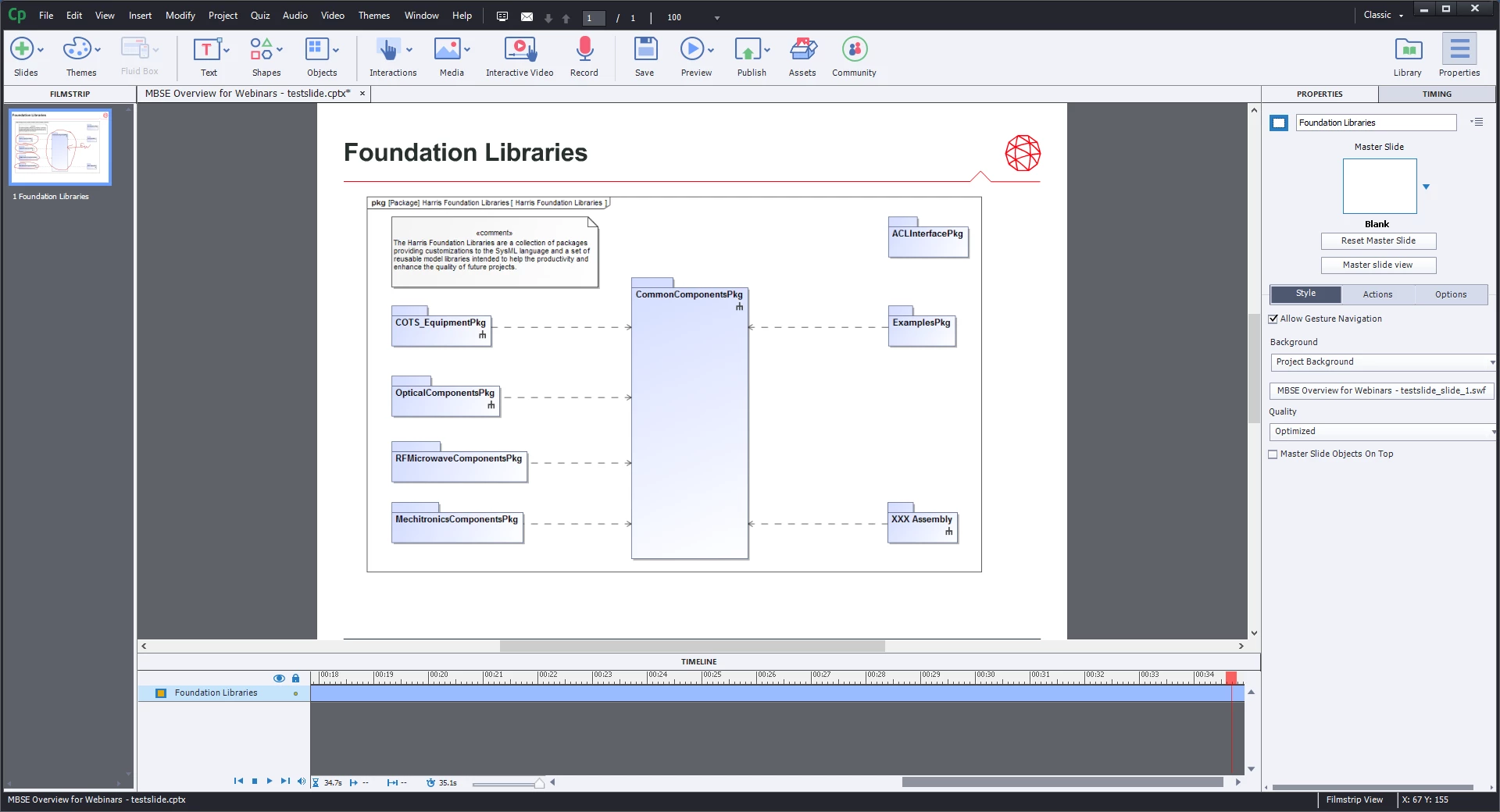
I'm importing a PowerPoint to Captivate, and the PowerPoint has animated drawing that I did while rehearsing the slides.  The drawings show up in the filmstrip view of the slide, but when I play the slide - both in the editor and when I export it - the ink doesn't show up.  Is there a setting I'm missing?  Screenshot below showing that I've scrubbed the head all the way to the end with no ink appearing, but the filmstrip preview shows it as it should be at the end of the slide
This topic has been closed for replies.

2 replies

Paul Wilson CTDP
Community Expert
Community Expert
October 14, 2019

Just an added note. I tried to import a PowerPoint file containing the ink feature added to one of my slides. Like yourself, I saw the ink on the slide, but in preview and publish it was not visible in output. 

Paul Wilson, CTDP
Paul Wilson CTDP
Community Expert
Community Expert
October 8, 2019

Make sure you select High Fidelity option when importing, however, and I'm just guessing, but I would suggest that this PowerPoint feature is too new to be compatible with the import PowerPoint feature in Adobe Captivate. I would reach out to Adobe and put in a feature request.

Paul Wilson, CTDP
Participant
October 14, 2019
Thanks! I was importing in High Fidelity and it wasn't working. I think you're right that it isn't stored in the same way other animations are, so it doesn't come through like other animations do. Feature request it is!