
msambare
Participant
September 1, 2015
Question

Powerpoint slides completely messed up during preview and publishing

  • September 1, 2015
  • 1 reply
  • 1959 views

Hello,

I am a newbie to Captivate and in the process of evaluating it. I have a deck created in Powerpoint 2013 (PPTX) format with a lot of animations. The native resolution of the PPTX is 2560 x 1440. When I import it into Captivate, it appears fine in the slides thumbnails on the left of the workspace. I have imported it in the native resolution in High Fidelity mode with slide duration.

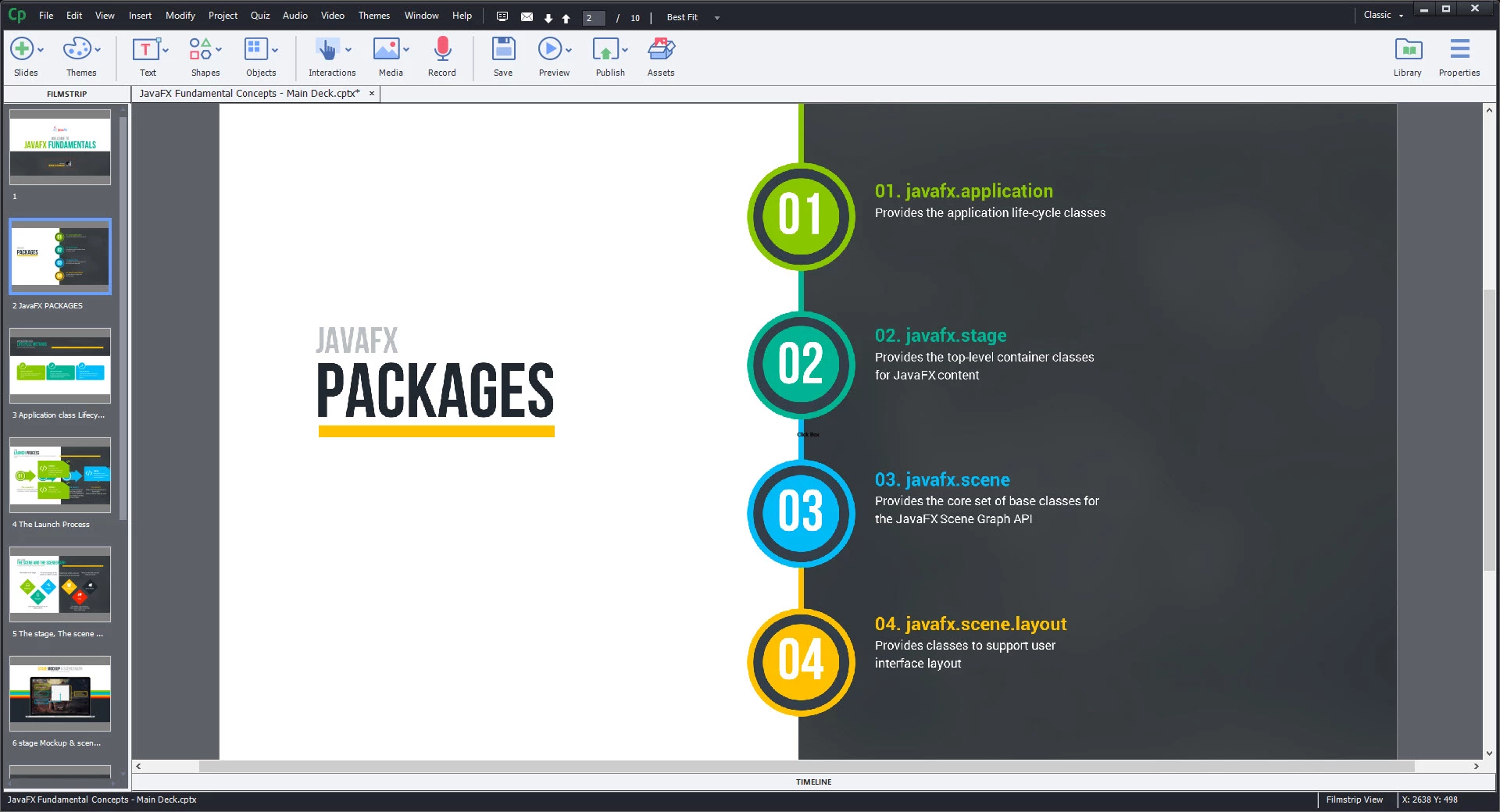
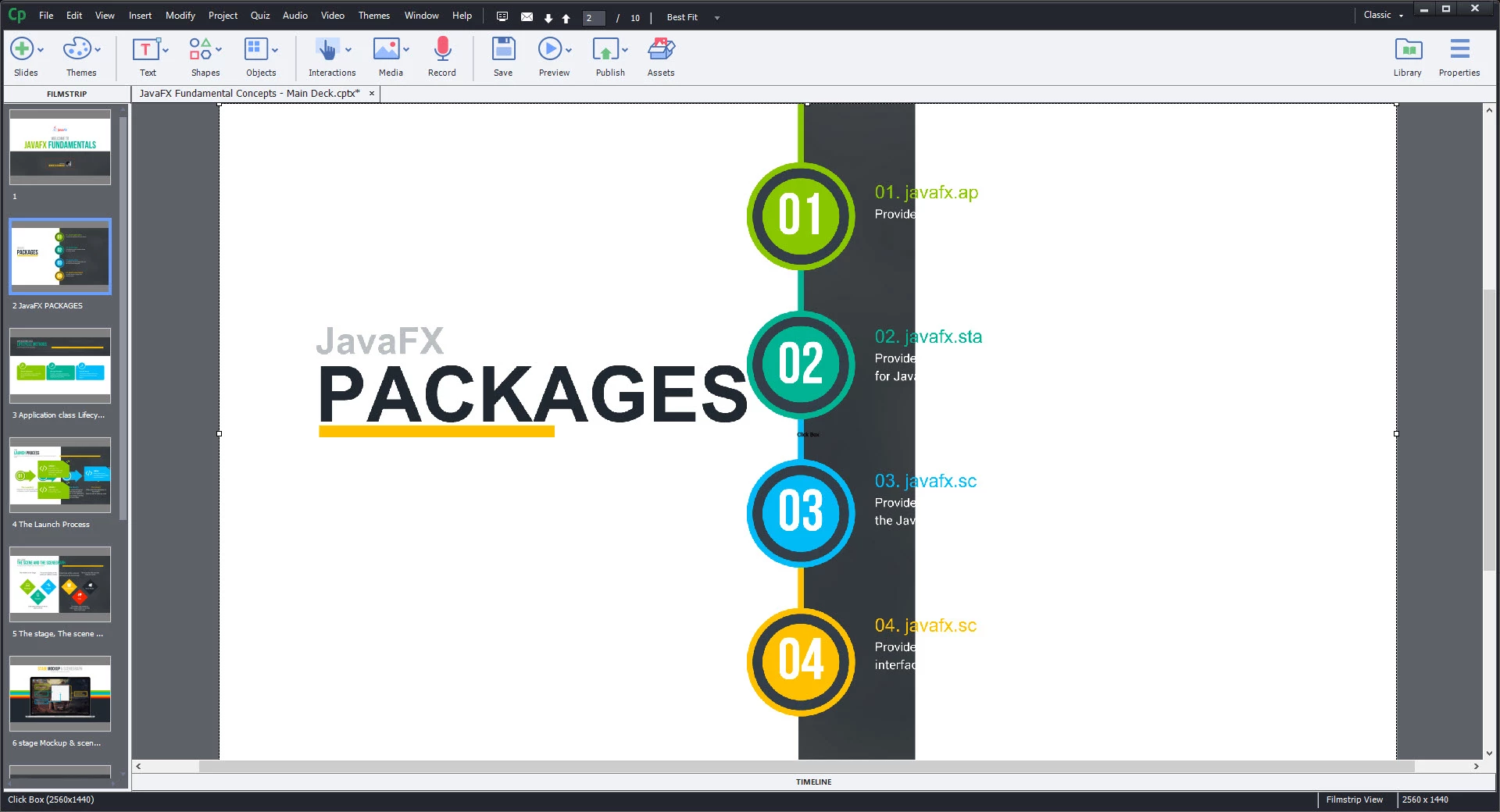
The issue is when I play, preview or publish the project. All slides (text and graphics) and animations are completely messed up. Please find below 2 snapshots detailing the issue:

ORIGINAL
RESULT (While I have shown the result during play, it is the same during preview or even after publish)
Any help will be welcome.

Best regards.

    This topic has been closed for replies.

    1 reply

    Lilybiri
    Legend
    September 1, 2015

    Do you know any browser that can play such a resolution? Have a look at Viewport Sizes

    PPT is normally used for presentations, I never did see a projection system with such a resolution neither. How will you deploy that course?

    Would never imagine producing an eLearning course with such a resolution, not only because it cannot be played on any device - you are confusing screen with browser resolution - but also because it will lead to very big files, slow to download whether it is using a LMS or a server.

    My suspicion is that the file size is in conflict with the browser resolution which is used both during Preview and after publishing. You published to SWF or HTML? Which browser did you use?

    msambare
    msambareAuthor
    Participant
    September 1, 2015

    Interesting point.... As of now, I have been using a screencast and hence resolution was never a problem. The resolution mentioned by me is the native PPTX resolution. Even if I am importing it in YouTube HD kind of a resolution, I still have the same issue.

    Lilybiri
    Legend
    September 1, 2015

    I wonder if you want to create eLearning or just videos? If you want to go for the first, learn to take into account resolution, very important certainly if you'll go for responsive projects where every git counts for the file size. If you want to create videos, Captivate is perhaps not the right tool for you or perhaps use the companion Video Demo recorder. Another tip: do not use the PPTX-import to Captivate if you are up to create eLearning. Either stay with PPT or use a PPT- plugin or start from scratch in Captivate. You will not see such a 'crazy' resolution to start with in Captivate.