
Participating Frequently
May 7, 2018
Answered

pptx to captivate - high fidelity not showing

  • May 7, 2018
  • 2 replies
  • 1698 views

I'm working with Powerpoint 2016 and Captivate 2017 on a Mac.

When I import a powerpoint presentation (pptx), I don't get the option to checkmark high fidelity.  The option doesn't even show up on the screen.

Please help.

Thank you!
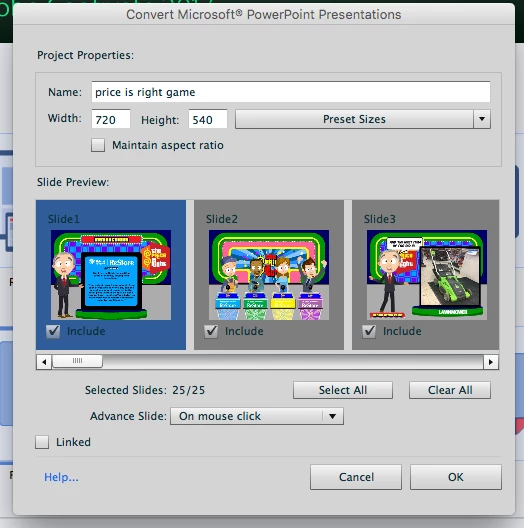
This topic has been closed for replies.
Correct answer Mayank_Meh

Hi There,

High Fidelity option is not available on MAC. It is only for Windows version of Captivate.


Regards,

Mayank

2 replies

Mayank_MehCorrect answer
Participating Frequently
May 7, 2018

Hi There,

High Fidelity option is not available on MAC. It is only for Windows version of Captivate.


Regards,

Mayank

DonnaBGr8Author
Participating Frequently
May 8, 2018

Hi Mayank,

Is there a "work around" or do I have to recreate all of why presentations in captivate?

Thanks,

Donna

Participating Frequently
May 8, 2018

Hi Donna,

There is no workaround for it. Can you please let me know the issue you are facing while importing the PPTX in Captivate on MAC?

Regards,

Mayank

RodWard
Community Expert
Community Expert
May 7, 2018

I'm not sure if you do get that option on the MAC version of Captivate.  But one thing I would suggest is that you try saving the PPTX out to a PPT file format and try importing that. Sometimes issues with PPTX can be alleviated that way. No promises...