

Answered
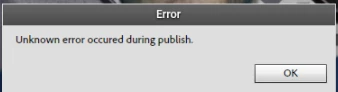
Presenter Video Express - ERROR - unknown error occured during publish
All, I just did some troubleshooting with Adobe Support on this error.
The case was that everytime I clicked on Share to publish a project, within 3 sec I got this message.
It happened on all projects where I used my webcam only.
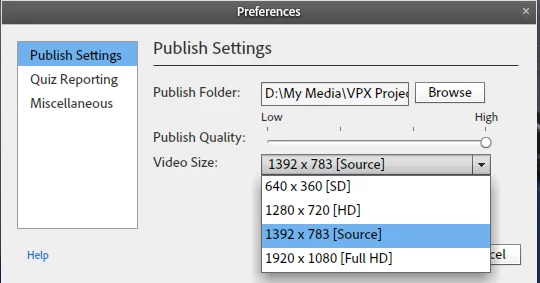
Root cause was that my webcam had a resolution, next to the normal 720 and 1080 standards, of 1392x783 which VPX does NOT like.
Once I, within the created project, changed the Video Size to either 720 (HD) or 1080 (Full HD) and then cliccked on Share, the project got published correctly!
Really good to know!
and thanks Adobe Support for the great and fast response + taking the time to really troubleshoot this issue!
 AdChoices