

Prevent Responsive Text Pop-Outs (notepad icons) from Appearing
Good afternoon - any help VERY gratefully received regarding this please:
A very similar thread has come up before but with no real answers. It related to Paul Wilson's article on 'Prevent Responsive Text Pop-Outs from Appearing'. These are the little notepad icons that appear (and you click through to a lightbox) when the shape you hold text in is not large enough for the text. The idea being that the user clicks the notepad and sees the full text in a lightbox before continuing on.
I have these in multiple responsive projects using Captivate 2017. I'm using Breakpoint View mode and I'm not using Fluid Boxes. I'm doing 3 versions (PC, iPad and iPhone). I'm just looking at PC view at the moment (not ipad or phone). Firstly, I've tried all the fixes Paul suggests. There is NO pre-formatting on any of the text. The problems:
- Often the text is very small and well within boundaries of the shape and I still get a notepad
- Sometimes, where a notepad is showing, if I remove the dynamic effect that is attached to the shape (e.g. 'move in from left'), the notepad disappears
- My client does not want to see ANY notepads
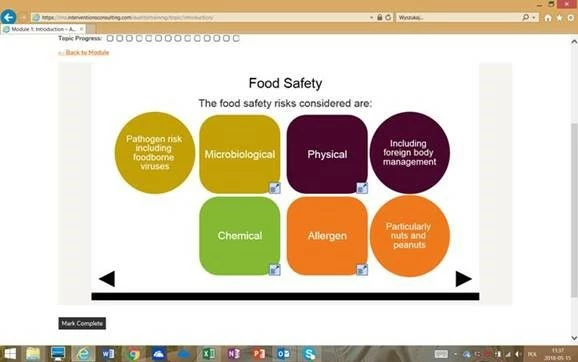
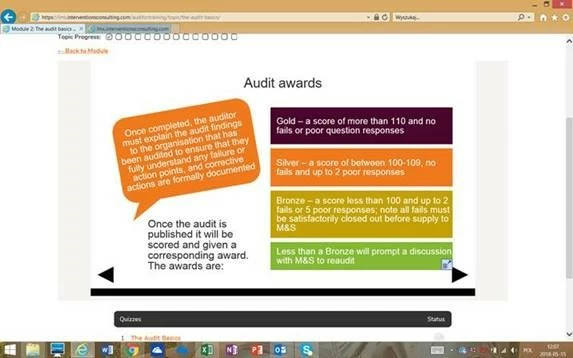
- If content is viewed in Chrome or Firefox there are no notepads, if exactly the same content is viewed in IE there are notepads (please see screenshot attached)
As I said, I've been through Paul's video and made sure there is no pre-formatting and I still can't get rid of them. What I DON'T understand is why it appears on one browser and not another. And I also don't understand why it sometimes occurs with dynamic movement (when you set an effect), but if you remove the effect from the shape (i.e. make it 'fade in' instead on zoom across the screen) then the notepad goes away. Attached screenshot to shown you what I mean:
Any help would be gratefully received thanks. Really frustrating!! 


 AdChoices