


Preventing reset of buttons hide/show and state after new session in LMS
Hi all.
I have click-and-reveal-slides.
You click the 1st button (smart shape), and a text (with connected aduio) and an image is shown, and the 2nd button appears.
You click the 2nd button, and the previous text and image is hidden, and a new text and image is shown.
There can be multiple buttons, and I'm using cpExtra to show and hide the slide elements and to change the states of the buttons and to show/hide them, so I don't have to use shared actions.
On enter, only the first button is visible. I want to guide the order the user click the buttons in. I also want a tick to show on the button, once it has been clicked. This way, the user can see what button has been clicked and not. I therefore have two buttons (btnNormal1_ and btnVisited1_), so that the tick can also show on the Hover state as well. (I know cpExtra has some functionality here, but I can't make it work properly). All the buttons are set to "Retain State on Slide Revisit".
This all works fine, until the user closes the course and re-opens it. The slide completely resets.
The buttons, that have been set to visible during the last session, are now hidden.
The buttons set to hidden, are now visible.
The states of the buttons are now back to Normal.
I was hoping "Retain State on Slide Reveisit" would also work between sessions, but it seems it does not.
Is there a saimple way to make the course keep the states of the buttons and what objects were shown/hidden, between session (closing and re-poening the course)?
I'm looking to keep things simple and without javascript, but I'm coming up short.
My plan B is to use cmi.comments to store something like "*cpCurrentSlide". on each slide entry. Ending up with a string in cmi.comments like this, with all visited slides: *1*2*3...
I can then read this on the first slide, store it in an array and use this to show all buttons, if cpCurrentSlide is in that array.
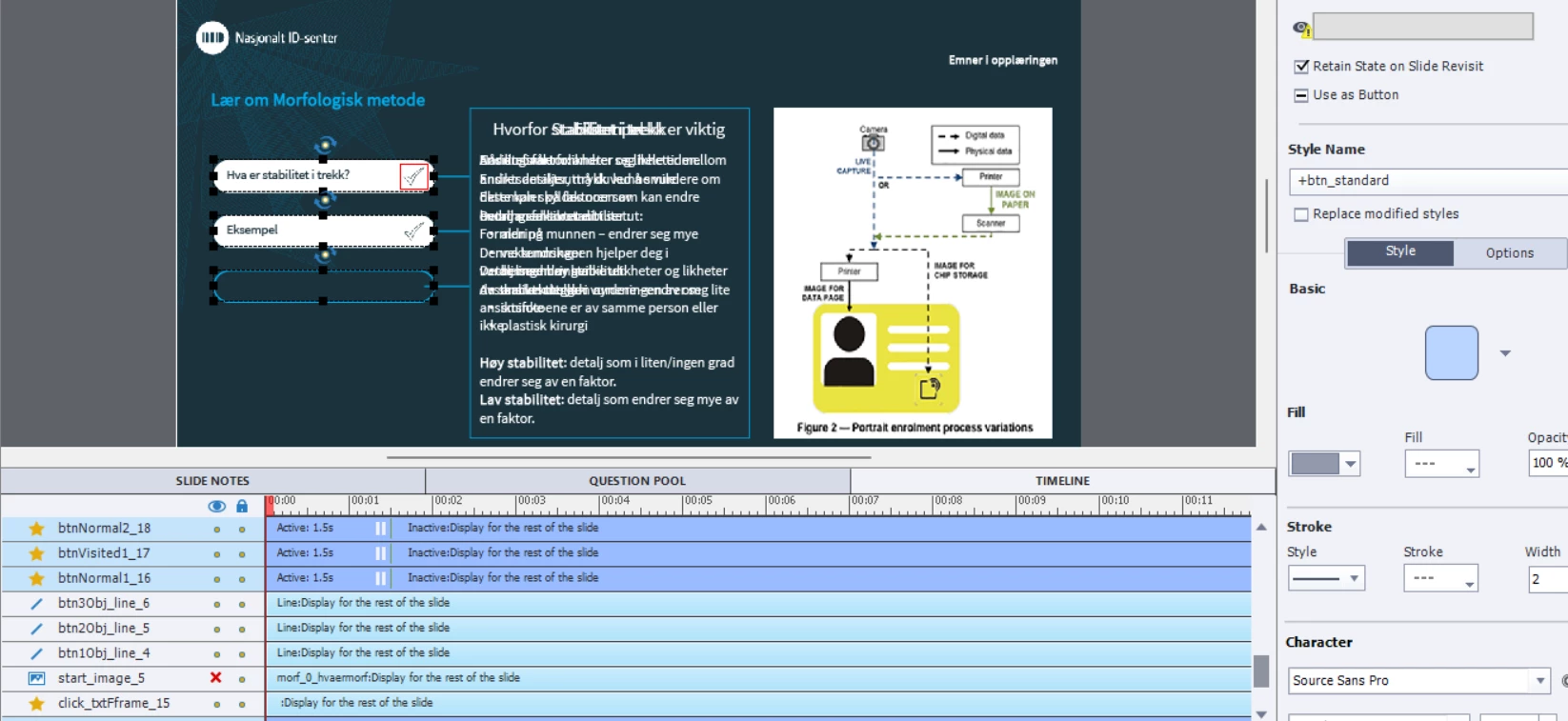
Here's a screenshot (In Norwegian 🙂 ...

 AdChoices