
kellies50617532
Inspiring
April 13, 2016
Question

Preview Appears Different

  • April 13, 2016
  • 1 reply
  • 537 views

Hi everyone,

I am having another issue in Captivate and need help addressing it.

I am working in
on a Mac with
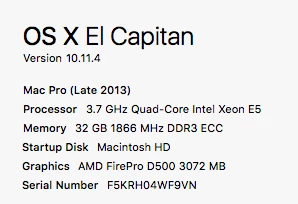
The issue I am seeing is that when I work in the workspace I get everything looking nice, but then when I go to preview it is different. It looks like text boxes get cut off and sometimes they move entirely.

Here is the Preview in Chrome
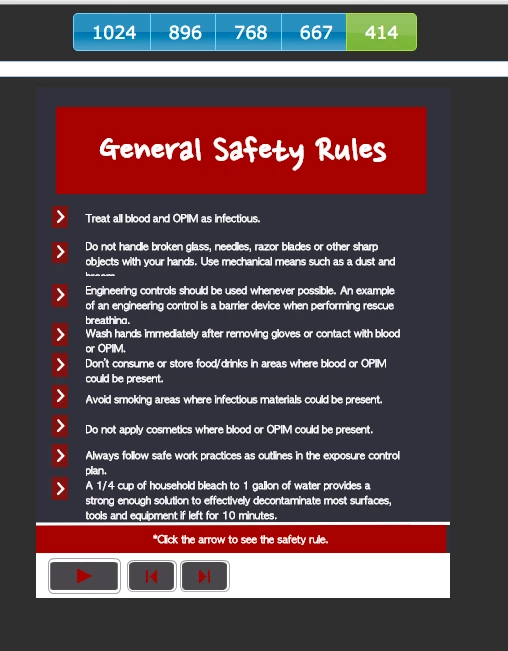
But this is what it looks like in the working space in Captivate

Is there a setting that I missed? Any information would be appreciated.

This topic has been closed for replies.

1 reply

RodWard
Community Expert
Community Expert
April 13, 2016

You're building a Responsive project.  You need to expect that things are going to look different to Edit mode when you Preview because Responsive projects change according to screen size.

kellies50617532
Inspiring
April 13, 2016

I understand that. The first time I switched views I freaked a little because everything was wrong, but I looked more into it and figured out setting up the ratios and % and all that. I move things as needed in the screen when I go to look at it. My issue is that I'm not seeing my exact changes in the preview.

I also understand that with the constantly changing mobile landscape there are so many different screen sizes that it will be nearly impossible to anticipate every possible screen.

In the example I gave all the words were present in the working space, but in the Preview some words were cut off or moved. I tried changing my text box sizes and saw no change in the Preview. Is there anything I can do to fix it?