


Participant
June 15, 2019
Answered

Problem downloading assets in new 11.5.0 version

  • June 15, 2019
  • 3 replies
  • 4144 views

I'm loving a lot of the features in the new update, but I'm running into an issue when trying to download new character assets. I can browse the characters just fine, but after I click the download button, everything freezes on this screen. I am locked out from any other Captivate functions, and after waiting for 20 minutes, the issue doesn't resolve. I have to force quit the application to proceed. Does anyone have thoughts on how to resolve this issue?
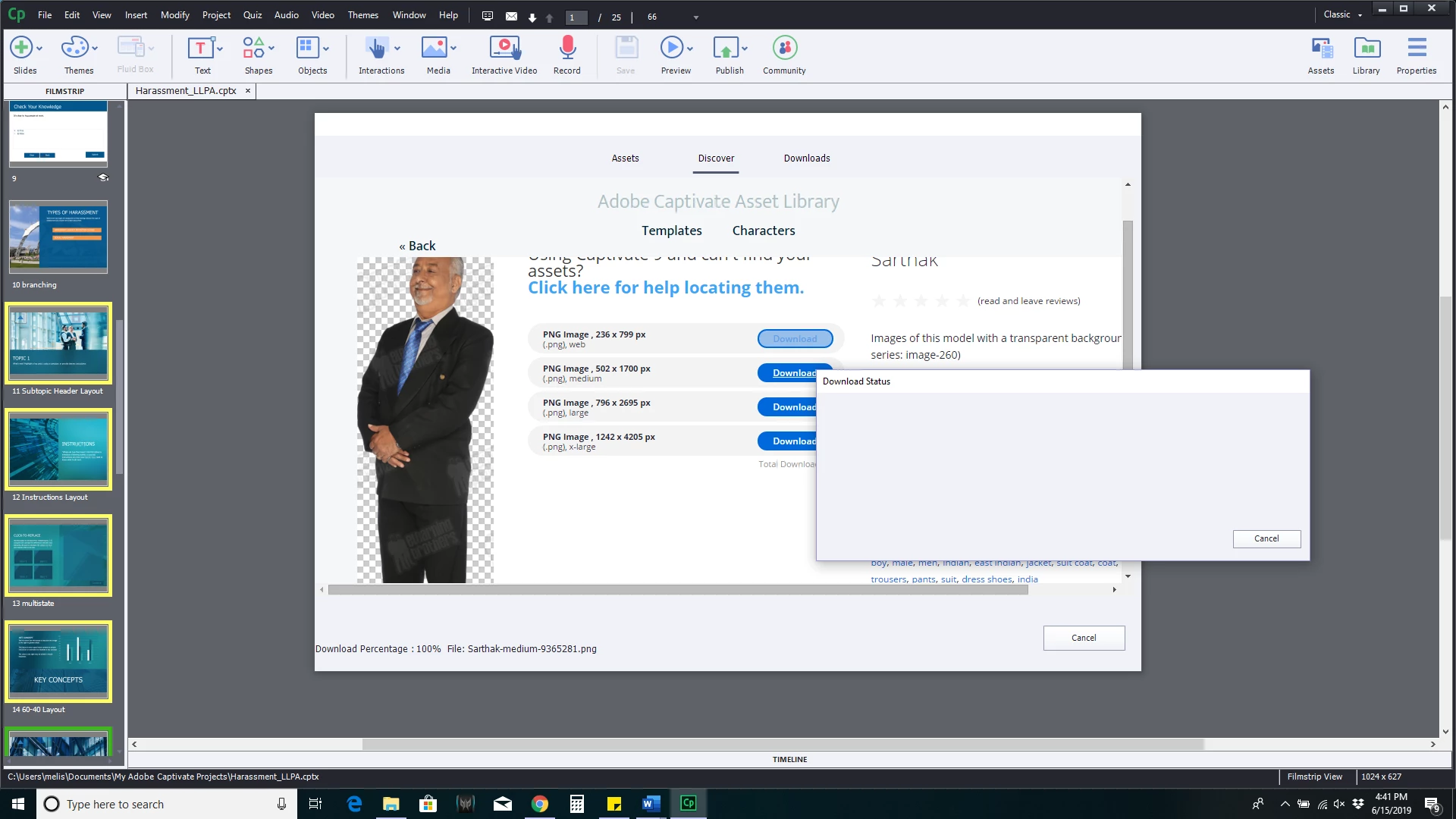
This topic has been closed for replies.
Correct answer Charushree_MB

Hi,

Please clear your Content folder and Character_11_5 folder:

C:\Users\Public\Documents\Adobe\eLearning Assets\ Content

C:\Users\Public\Documents\Adobe\eLearning Assets\Character_11_5

Clear your preferences :

C:\Program Files\Adobe\Adobe Captivate 2019 x64\utils\CleanPreferencesWin.bat and relaunch captivate.

Please write to me at cmb@adobe.com if thr issue still persists.


Thanks,

Charu

3 replies

StephanieBogDog
Known Participant
October 13, 2021

Thank you, the directions worked for me 10/13/2021

Inspiring
October 28, 2021

Hello, 

I have a question about clearing the contents.  I want to be sure about how I am to clear the contents.  When I get to each of the folders like the Content folder under Assets folder do I delete everything in that folder? Or what's in the folders. Then go to Character_11_5 and delete everything in that folder?  And so on.  


Thanks for any help.


Inspiring
September 12, 2019

Hello, I have the exact same problem and tried the answer given by Charushee_MB, but unfortunatelly it does not work.

So my issue remains. 

Are there some other tricks to try? 

Thanks

A.

Participant
October 18, 2019

Check the Adobe Captivate Assets version and you need a folder for that one.


I install Captivate 11.5 but package comes with assetes 11.0

so i have to create 2 folders in following path: c:\Users\Public\Documents\Adobe\eLearning Assets\

Interactions_11_0

Characters_11_0


Charushree_MBCorrect answer
Adobe Employee
June 17, 2019

Hi,

Please clear your Content folder and Character_11_5 folder:

C:\Users\Public\Documents\Adobe\eLearning Assets\ Content

C:\Users\Public\Documents\Adobe\eLearning Assets\Character_11_5

Clear your preferences :

C:\Program Files\Adobe\Adobe Captivate 2019 x64\utils\CleanPreferencesWin.bat and relaunch captivate.

Please write to me at cmb@adobe.com if thr issue still persists.


Thanks,

Charu

Participant
June 17, 2019

That did the trick! Thank you.