


Problem installing and running Presenter 11
Hello,
I am having problems installing and running Presenter 11.1. Here is my system:
64-bit PC running Windows 10 Enterprise with 16 GB RAM
I originally had a licensed version of Presenter 11 installed on this PC. But when I first tried to run it, the webcam did not work with the program. I got an error message indicating that my webcam was in use by another application and that I should close that application and try Presenter again. I could not find any other application that was using the Webcam, but I tried closing every other application anyway.
When I tried re-opening Presenter 11, I then got the error dialogue box stating:
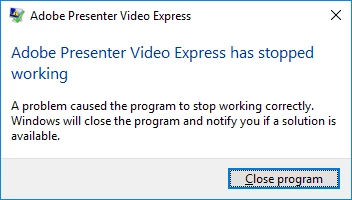
I decided to uninstall Presenter 11. I also had two versions of PowerPoint installed on this PC (Office 2013 and Office 2016). I uninstalled the Office 2016 (since I knew from past experience on another computer that Presenter worked fine with Office 2013).
I then tried to re-install Presenter 11. Installation seemed to go fine. But when I tried to open Presenter, I got the same error dialogue box as earlier (“Adobe Presenter Video Express has stopped working. A problem has caused the program to stop working….etc.”)
I then uninstalled Presenter 11 and downloaded the Presenter 11.1 from the Adobe website. I think this is the same version that I had originally installed on my PC, but it only showed up as Presenter 11, not Presenter 11.1. I thought perhaps there was a slight difference in the versions.
So, I went ahead and installed the trial version of the newly downloaded Presenter 11.1. Again, installation seemed to go fine. I did notice that during the installation, it indicated that I would be installing both Presenter 11.1 as well as Adobe Presenter Video Express. When I tried to run Presenter 11.1, I got a new error dialogue box that stated:
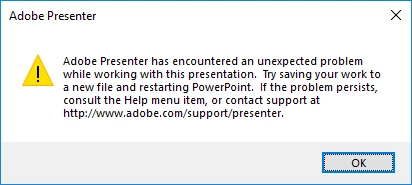
Interestingly, I was able to open Adobe Presenter Video Express fine. That is, APVE seems to work fine with this newest installation. But Adobe Presenter does not work from the PowerPoint application. When I select the “Record” button from the Presenter ribbon in PowerPoint, I get the error box shown above.
Any suggestions on how I can get Presenter to work?
Thank you,
Stephen Pintauro
 AdChoices