


Problem Using Captivate Files With SABA LMS
We are experiencing a problem with files published from Captivate and placed in to a Saba LMS. The settings I am using in Captivate are taken directly from a PDF supplied by Saba - and all their recommended settings are being used.
When a learner goes through a single module of training there are no issues. But, when the learner re-launches that same module and clicks the initial 'Play' button, he or she is taken immediately to the last slide of the module - the LMS skips everything but the last slide.
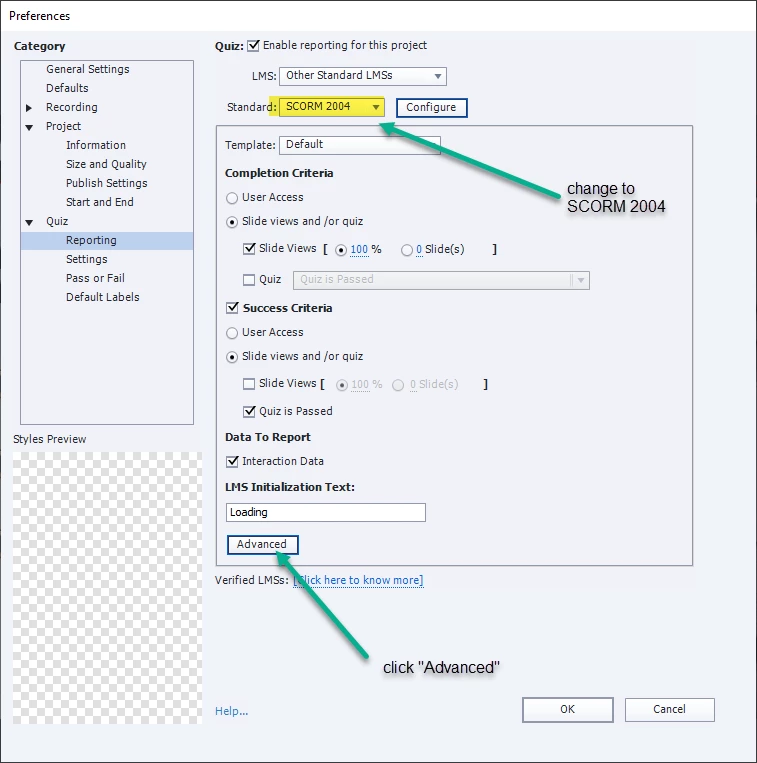
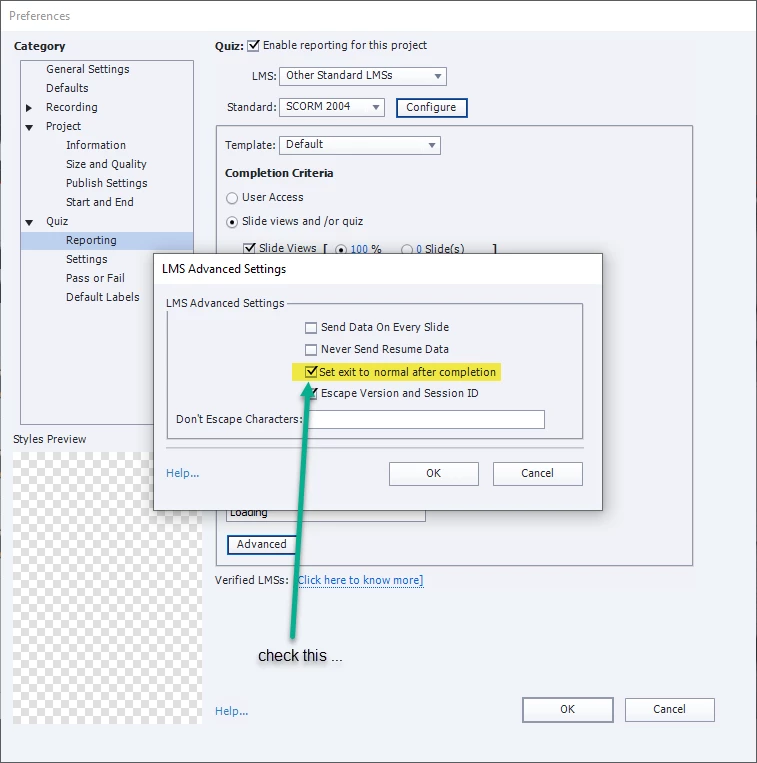
I found a thread on this forum that recommended changing the Publish settings (Quiz -> Reporting). Specifically from SCORM Standard 1.2 to SCORM 2004, and under the "Advanced" area, checking the box next to "Set Exit To Normal After Completion". (See the attachment "1_Post_Adobe_Cpt_Forum.png").
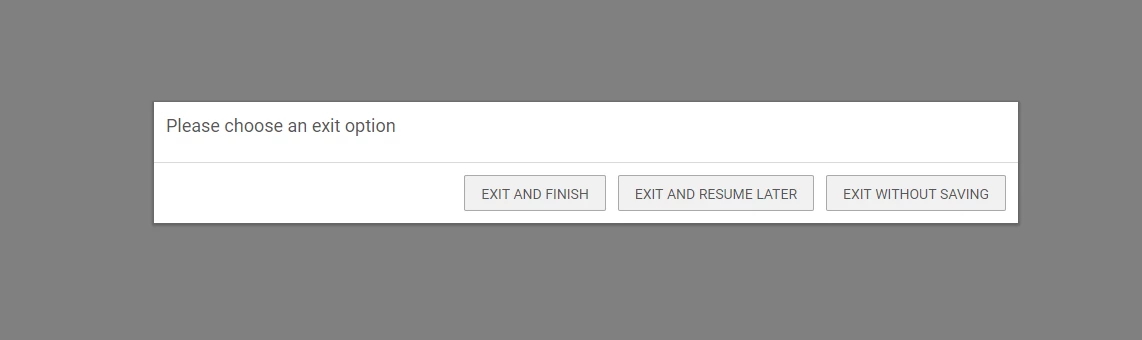
This does indeed fix the problem, as upon relaunch of the module in the Saba LMS the slides play normally. But - when a learner leaves the module, he or she is presented with a screen that present them with 3 options as to how to leave the module.(see attachment "4_Exit notice.png")
We don't want to ask the learner to make a choice upon exiting the module. How can we eliminate this dialog that shows at the end?
Attachments "2_Captivate_Forum_Fix_1of2.png" and "3_Captivate_Forum_Fix_2of2.png" detail how the settings were altered in Captivate's "Publish Settings" area.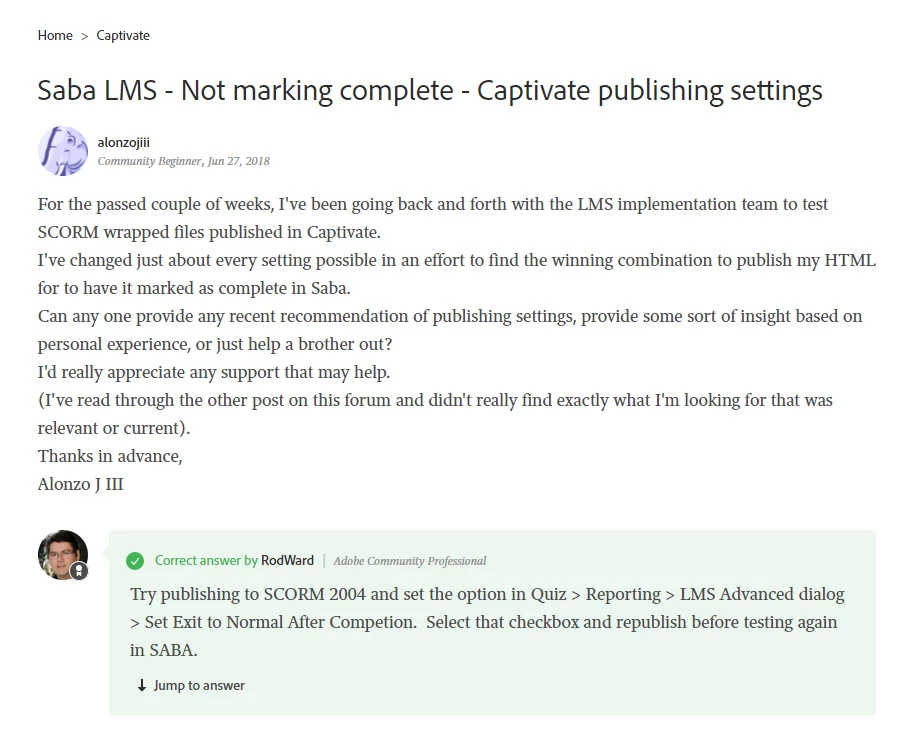
 AdChoices