

Answered
Problem with space with Adobe Captivate 9
We have a project to create eLearning classes for a new Platform we will launch soon. We have Adobe Captivate 9 installed on a computer available for staff to record videos on specific topic so we can them combine all to create the classes.
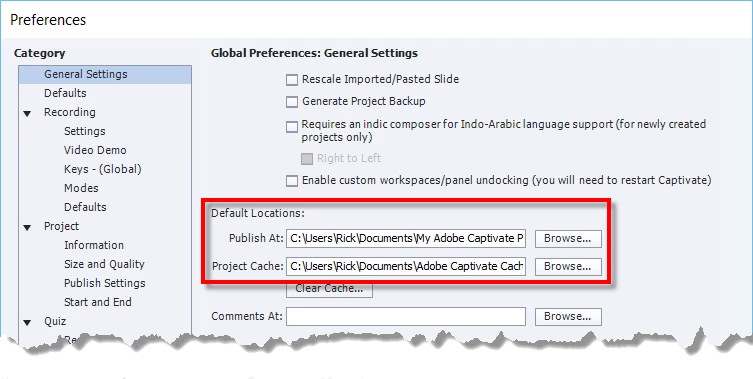
The problem we have is when a user logged in, they got the message "Free diskspace is very low. Recover some hard disk space by cleaning the project cache. To do so....... >Geneal Settings)." On that computer we have a second drive installed to save all the videos created so we do not use the space on the c:drive.
My question is how can I set up Captivate to save on that drive for all the users to avoid having this message all the time.
Thank you!


 AdChoices