March 25, 2010
Question

Problem with the < character

  • March 25, 2010
  • 1 reply
  • 445 views

Hi,

I hope someone can help me, I am trying to edit a Text Caption so it includes user defined variables, and I am having problems displaying the < character. I am using Captivate 4. The caption is thus ( the text is half way down the screenshot, starts with $$TTextEntry etc.):
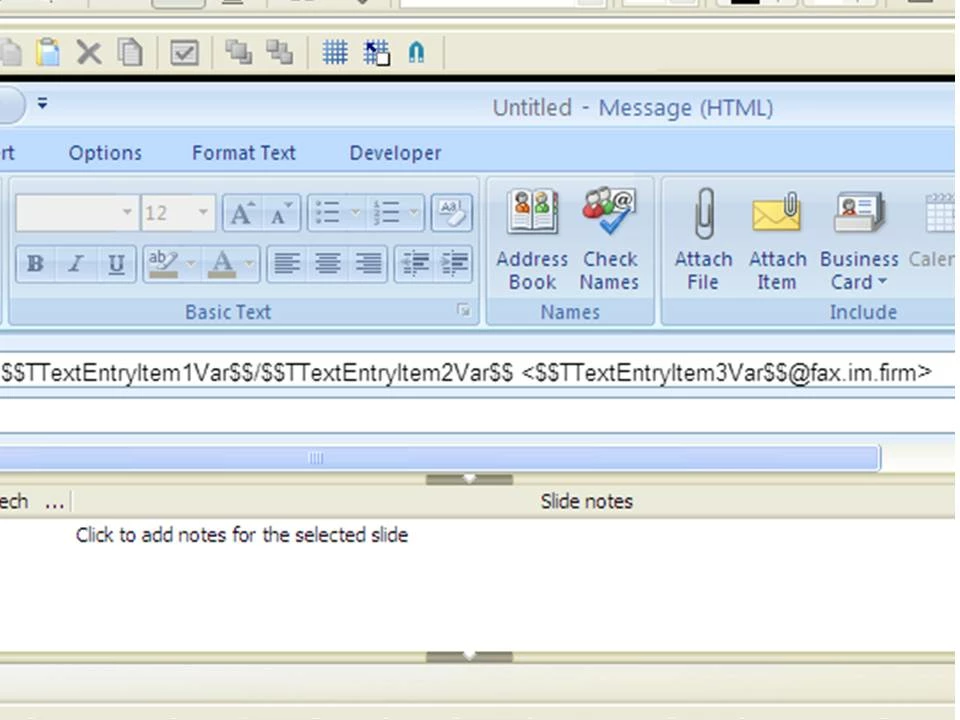
and I've set the slide up so people can enter the information into Text Entry Boxes beside where this is displayed. It is supposed to display something like:

John Smith/John Smith Limited <08451234567@fax.im.firm>   (Please ignore the mailto, Adobe Forums is adding that automatically!)

but what it is actually doing is showing:

John Smith/John Smith Limited

I am assuming the < symbol is confusing it as it is between 2 variables, but how do I stop it doing this? < works fine when I don't use variables, but that would kind of defeat the point of what I'm doing!

Any help is gratefully received!

This topic has been closed for replies.

1 reply

Lilybiri
Legend
March 25, 2010

Hello,

There are problems with text captions when variables are inserted: weird characters just like accented characters cause these issues. I tried your experience and indeed same happens when you insert > or < in combination with user variables. I tried to find a workaround, by defining '<' as a separate user variable but result is not what you want. If I find another workaround, I'll post it. But would ask you to report this as a bug to the Adobe team, I have done it (long ago) for the accented characters (é ç à...).

Lilybiri

Captiv8r
Legend
March 25, 2010

Hi there

Okay, so you are displaying two different variables in the Text Caption? If so, why not just make the < and the > part of the basic Caption Text, then insert the variables in between?

Cheers... Rick

Helpful and Handy Links

Captivate Wish Form/Bug Reporting Form

Adobe Certified Captivate Training

SorcerStone Blog

Captivate eBooks

Lilybiri
Legend
March 25, 2010

Hi Rick,

That is the problem, did not know that it also happened with the '<' and the '>': if you use some characters in the same Text Caption as variables, you are getting weird results. Have reported this since the appearing of CP4, but it was never resolved. I cannot use any character like: é, ç, à, è, ù, ö, ... together with a variable in a caption. That is a big problem in most languages, just not in English because they do not have such characters.

The workaround proposed is cumbersome: never put a variable directly in a Text Caption, put it separately in its own caption, and try to align them so that it is not visible that two captions are on each other. Only do this when really necessary, try to avoid those characters whenever possible, which is possible in Dutch, but in French and German, I avoid using variables in Text Captions for that reason.

Lilybiri