chantalc17455032
Participant
May 19, 2017
Question

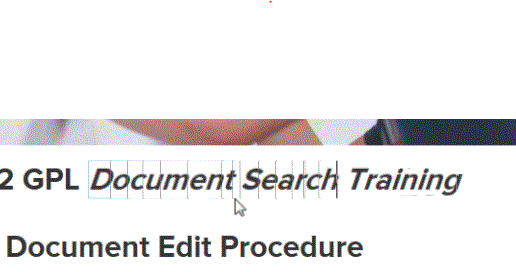
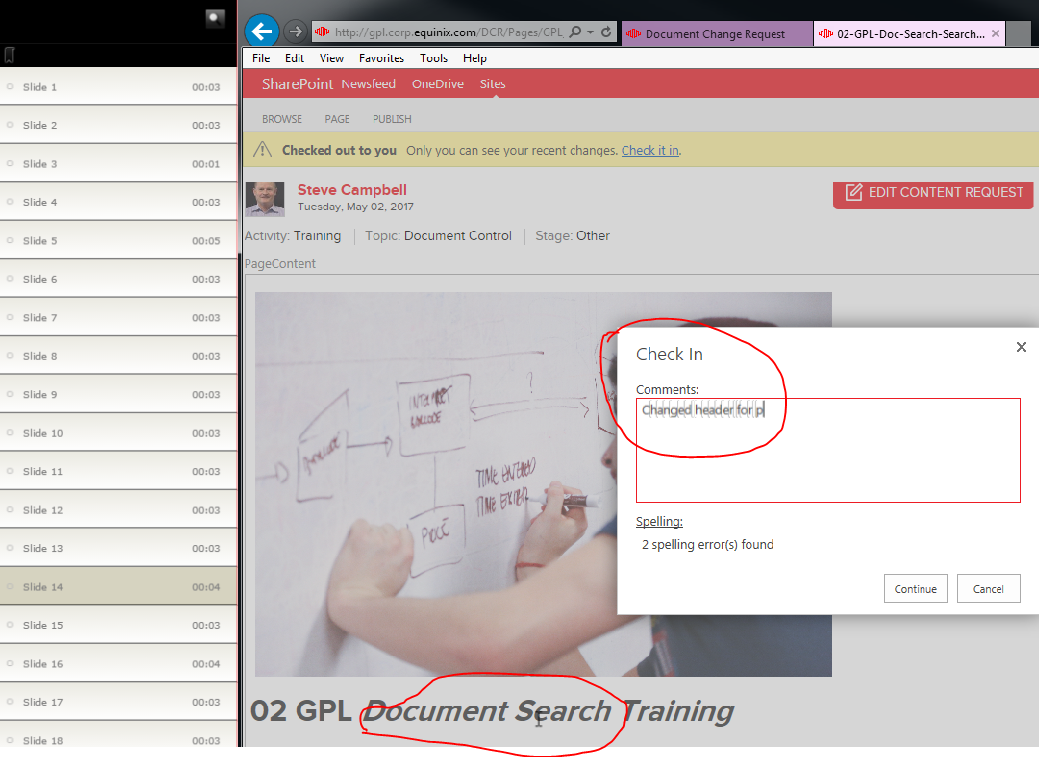
Problem with the way Software Simulation displays typed text in published file.

  • May 19, 2017
  • 1 reply
  • 265 views

When I record a software simulation using the latest 2017 version of Captivate - I see shadowy rectangles behind each typed character where I typed in a text field, or showed a text edit. This does not show up in the preview, only after publishing.Cature-2 Capture-1 
    This topic has been closed for replies.

    1 reply

    Lilybiri
    Legend
    May 19, 2017

    Is this a typing text object? You can recognize it this way: select it in the Timeline and try to delete it. If you cannot it is such an object.

    Do you publish to HTML5 or SWF? Did you rescale the object? Is the slide quality set to Optimized or High? Can you turn off compression settings in¨Preferences,  Project, Size and Quality.

    chantalc17455032
    Participant
    May 22, 2017

    Hi,

    The text must be an object as you suggest. I was not able to delete it -

    there is a lock icon on that line in the timeline.

    I tried to publish to HTML and SWF and get the same result.

    I did not consciously rescale the project, not sure where that setting is

    or how it would be used. I sized the actual window to smaller than my

    screen, and resized the capture area to match that before I started

    recording.

    The slide quality is set to Optimized, I think that was the default.

    I turned off the compression setting in Preferences, but I still see the

    same result.

    I am recording on a 21" monitor plugged into my laptop, not directly on the

    laptop screen. The resolution is set to 1920x1080 (recommended)

    Thanks,

    Chantal.