Hello Manasa,
I only could share it in this moment.
I zipped the whole folder, hope this is correct.
The projects name is "Intro ensayo 2"
Thanks in advance
Andreas
Hi Andreas,
I took a look at your project.I am able to select annotations and modify their properties.
Following steps might help you .
1. Open the project in Presenter Video Express.
2. Click on the Annotations button (5th one from bottom left)
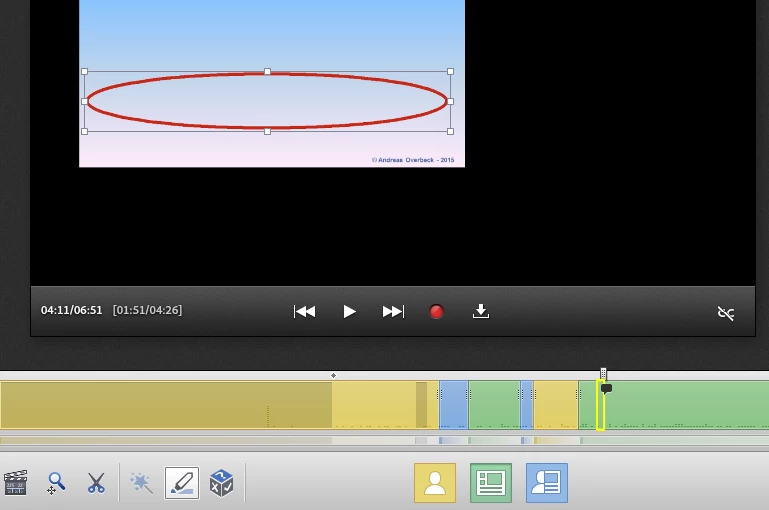
3. Go to the frame where you have annotation ( In your project, annotation is at 4.08. Seek to any frame between 4.08 to 4.12 ).
4. Click on the ellipse that you have added on the presentation.
5. Now you can see a rectangular (bounding) box drawn around the ellipse. Once the annotation is selected you can stretch it using handles or you can change its properties.
Here is the screenshot when an annotation is selected
Let me know if this worked.
Thanks,
Manasa.



 AdChoices