Dave153
Participant
April 17, 2016
Question

Problems with instilling Captivate 9 on my Mac

  • April 17, 2016
  • 5 replies
  • 399 views

Good evening all,

I have just purchased, online, in my Adobe account, Captivate 9.  It gave me an option of all the files for both Windows and Mac to choose to download.  As I am working on OS Mac system I chose the three dmg files and downloaded them.  Once downloaded completed, I made sure all Adobe apps were closed as well as my other programs, then tried the insulation.  However, I cannot get Captivate 9 to install.

The following is a screenshot with the error message I get when I try to install.  Can anyone tell me what I am doing wrong please.
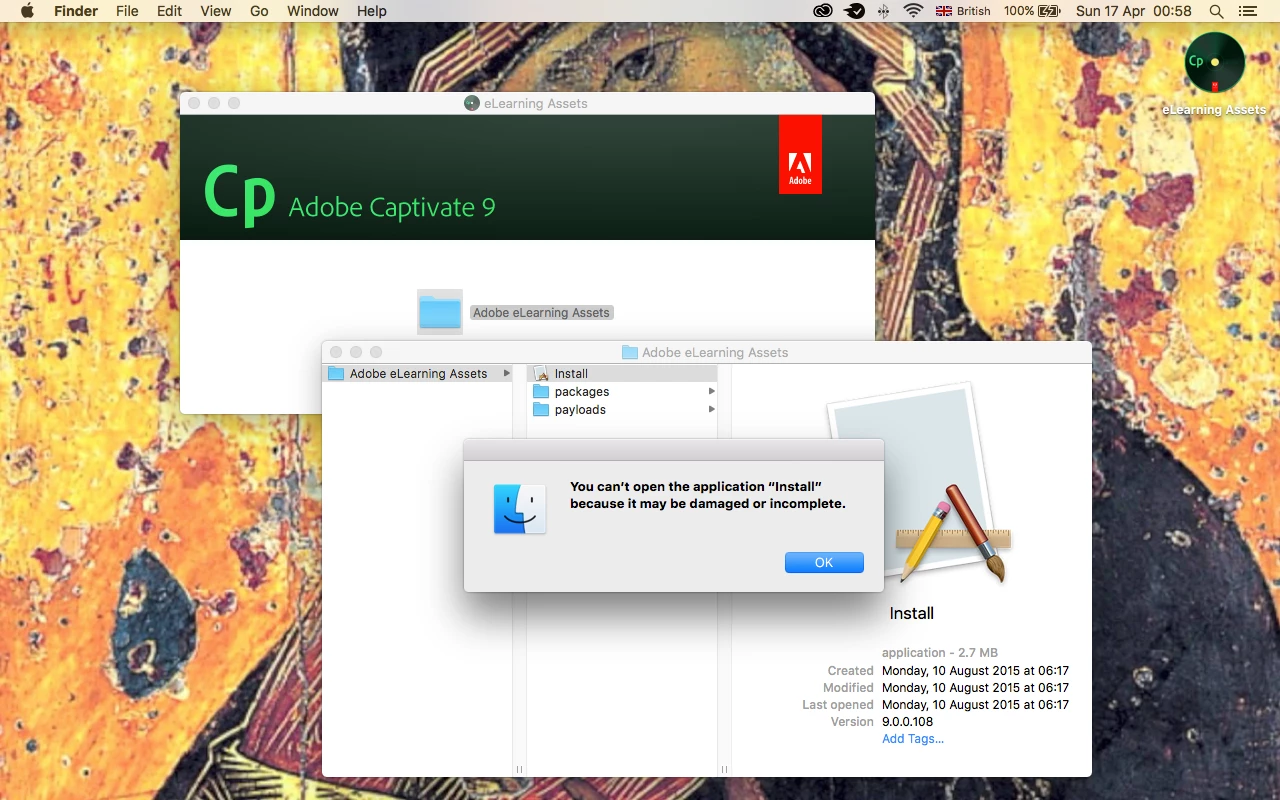
Many thanks

David

This topic has been closed for replies.

5 replies

marcusr22207381
Inspiring
December 6, 2016

Hi Dave,

Did you get this issue solved? I have just purchased a Mac and I had the exact same issue but with a call to Apple Support I got it solved. Let me know if you still need some help.

AJIT_M
Inspiring
April 18, 2016

Hi David,

I have sent you another private message which has the Captivate 9 e Learning assets and Voices download link that you may try to download/install after installing Captivate 9 on your Mac OS.

Let me know if you face any issue.

Regards,

Ajit

BDuckWorks
Inspiring
April 18, 2016

It looks to this Mac user like you are attempting to install the Captivate Assets, have your already installed the Adobe Captivate application?

If not, this will generate such an error.

AJIT_M
Inspiring
April 18, 2016

Hi There,

I have sent you a private message and I would request you to follow the given instructions to download/install Captivate 9 on your machine.

Please let me know if you face any issue.

Regards,

Ajit

Lilybiri
Legend
April 17, 2016

I really hope someone of the staff pops in, because AFAIK there are no Mac users around here who are helping other users. Frequent visitors of this forum, helping with questions, are all Windows users.