
Whispering_genius0D44
Known Participant
July 15, 2020
Answered

Project stuck on publish to HTML5

  • July 15, 2020
  • 1 reply
  • 432 views

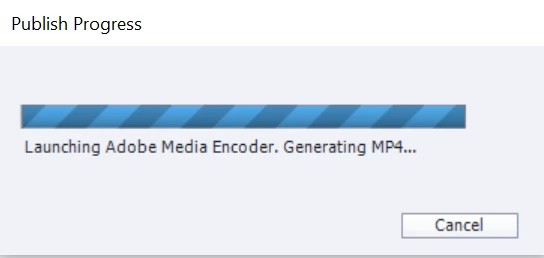
So I am attempting to republish a project after making some minor edits.  I've never had a problem publishing this file before.  But it's stuck on the below image when I try to publish as HTML5...which I've published to before with this same file.  It will publish to SWF, but I don't want to use flash.  I have tried the following:


1. Renaming the file with no spaces and publishing - I get the same result

2. Renaming the file with spaces and publishing - I get the same result

3. Having adobe media encoder open while publishing - while adobe media encoder does indeed encode the video that's within this file, it still does not publish.  


I have scoured this forum for an answer, but can't seem to find anything that works.  Any ideas?


    This topic has been closed for replies.
    Correct answer Lilybiri

    That video format is no longer supported indeed (same as flv).  I am not even sure that the Adobe Media Encoder (AME) still has that format, depends on the version you have. You will need to convert the video to H264. Try first with AME.

    1 reply

    Lilybiri
    Legend
    July 15, 2020

    Does this project include software simulation slides with FMR slides? Those slides are Flash-based but will be converted to MP4 when publishing to HTML5. That could be a problem.

    Or do you have inserted videos? If yes, what was the video format? 

    Whispering_genius0D44
    Known Participant
    July 16, 2020

    Thank you for your response.  There is no software simulation, but there is a video.  It looks like it says it's an f4v, which I'm assuming is flash, and is the problem.  

    Lilybiri
    LilybiriCorrect answer
    Legend
    July 16, 2020

    That video format is no longer supported indeed (same as flv).  I am not even sure that the Adobe Media Encoder (AME) still has that format, depends on the version you have. You will need to convert the video to H264. Try first with AME.