Participant
June 28, 2023
Answered

Publish Resolution Issue

  • June 28, 2023
  • 1 reply
  • 323 views

Hi All,


Hope all is well.


I just recently updated my captivate version to 11.8.1.219, so I'm not sure if I'm missing something in the publish setting.


There was an issue in the resolution not appearing in full when I uploaded it on a LMS, please see attached image. I've asked my colleague which has 11.5.5.553 to use the same file and publish it on her end. its seems fine and gives the full resolution, please see attached image.


another thing I noticed is that, my published zip file has 4.5mb while she got 3.6mb after publishing it. We tried to check but we got the same settings so far. I might missed something. Hoping someone can help me.


Thank you so much!

    This topic has been closed for replies.
    Correct answer Lilybiri

    Can you answer some questions? I have two systems, one with 11.5.5.553 and another with 11.8.1.219; I use Win10 on both, You didn't mention the OS so far.

    Those screenshots: were they taken after uploading the output folder to a webserver or a LMS?

    When publishing to HTML5, did you activate the feature 'Scalable HTML'?

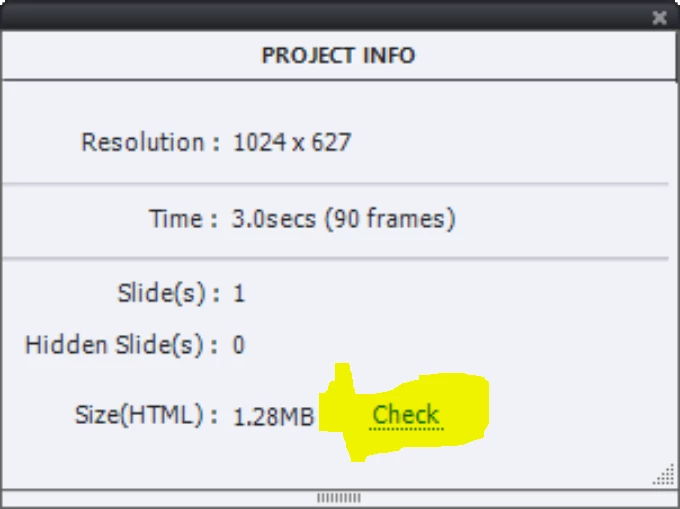
    I have no explanation for the difference in output folder size. Can you both check the estimated file size in the Project info panel? Do you see the same difference?

    1 reply

    Lilybiri
    LilybiriCorrect answer
    Legend
    June 28, 2023

    Can you answer some questions? I have two systems, one with 11.5.5.553 and another with 11.8.1.219; I use Win10 on both, You didn't mention the OS so far.

    Those screenshots: were they taken after uploading the output folder to a webserver or a LMS?

    When publishing to HTML5, did you activate the feature 'Scalable HTML'?

    I have no explanation for the difference in output folder size. Can you both check the estimated file size in the Project info panel? Do you see the same difference?

    Participant
    June 28, 2023

    Thanks for your response Lilybiri, I also use Win10 and it happens when uploaded on LMS. Good thing you have mentioned Scalable HTML. It was untoggled on my end and that seems to do the trick. Thank you!

    Lilybiri
    Legend
    June 28, 2023

    Fine! Is it possible to mark the helpful answer as being correct? Upvoting is not helping users looking for an answer to a similar problem, but an indicated correct answer is doing just that.