
Participant
March 24, 2017
Question

Publish to Video Jumbled/Overlapping Audio

  • March 24, 2017
  • 1 reply
  • 283 views

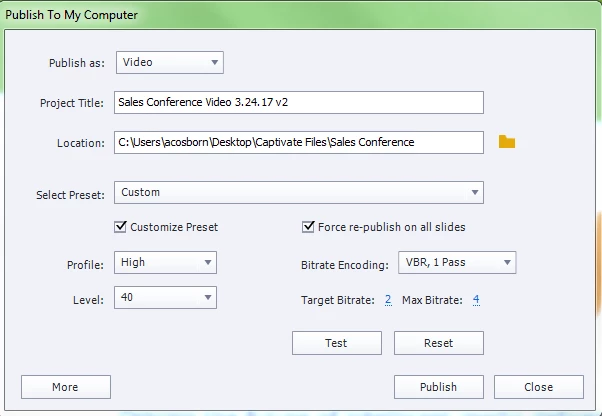
I have a project that contains slides without audio, slides with embedded MP4 audio and slides with audio recorded to the slide from within Captivate.  I preview the file in browser and everything is perfect.  I publish the Captivate file to a video and the audio from several slides plays at the same time instead of in the order established.  The options I choose when publishing are in the image below.  Any ideas?
    This topic has been closed for replies.

    1 reply

    RodWard
    Community Expert
    Community Expert
    March 25, 2017

    Why are you using MP4 as just audio?  This is usually a video format.

    What happens if you publish your content to HTM/SWF and view it in a web browser?  Do you see the same issue?

    Participant
    July 26, 2017

    I am having this same issue.  I have text-to-speech audio using "Paul" and when I publish to video, audio overlaps in each slide.  I was asked by my client to produce an MP4 file but I cannot submit this as-is!  It is just basic text-to-speech for each slide.  Nothing fancy.