Known Participant
March 22, 2016
Question

Publishing a SCORM package so it remains incomplete when failed and blocks a user from redoing the package

  • March 22, 2016
  • 1 reply
  • 588 views

Hi all,

I know this is a silly question and I feel this should be a really simple task to complete, but I'm doing up a sample assessment package and for the life of me it refuses to mark the package as incomplete when I fail the assessment inside.

I've messed around in the Publish settings and tried a number of different options.

So at first I tried him on Complete > Incomplete as seen below.
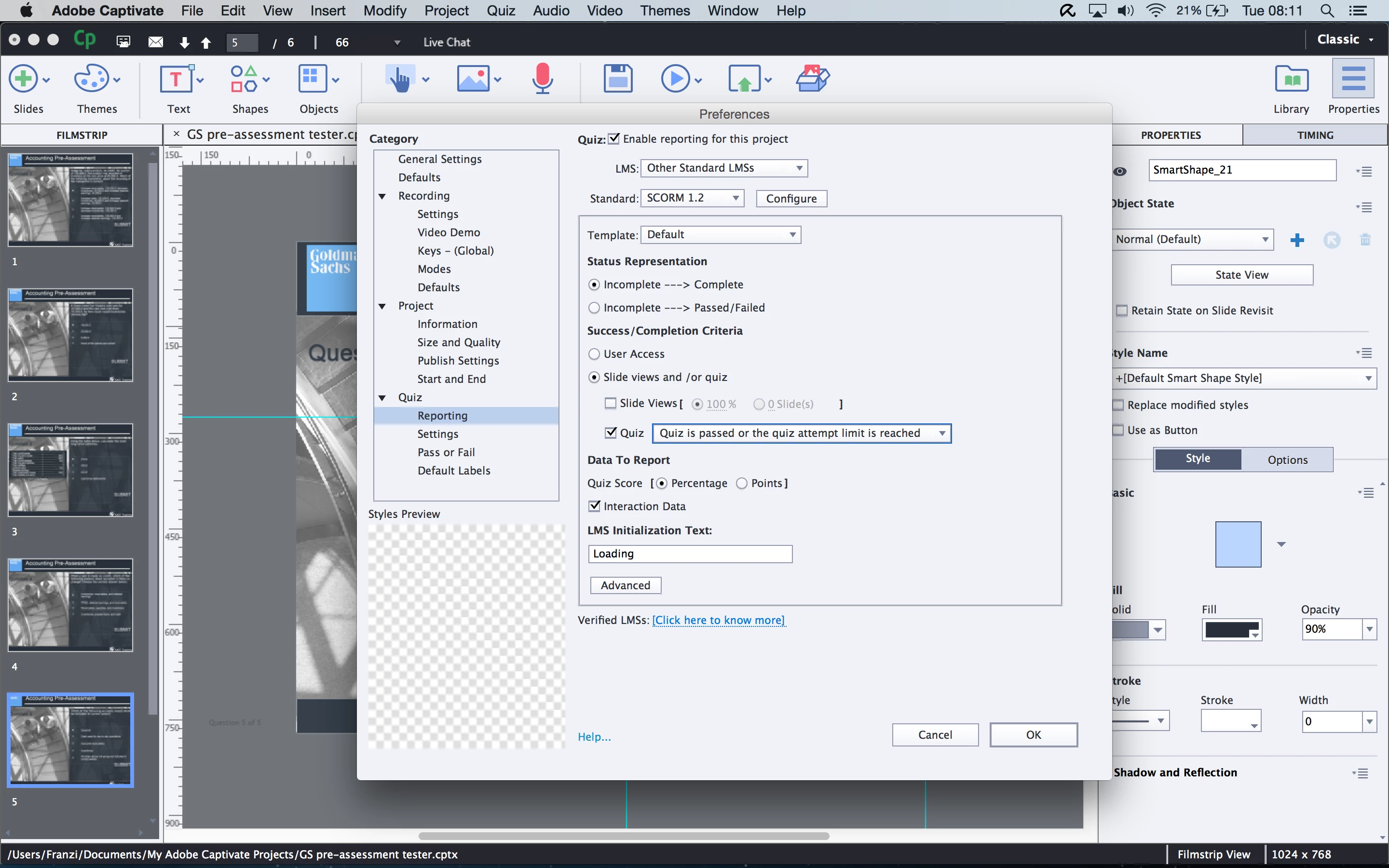
Then, because I read on a Captivate blog for exams it should really be Incomplete > Passed/Failed, I tried that. No change. I then tried to see if this action lies within the Quiz settings, by first requiring a participant to take the quiz and then that a Pass was required. Nothing changed.
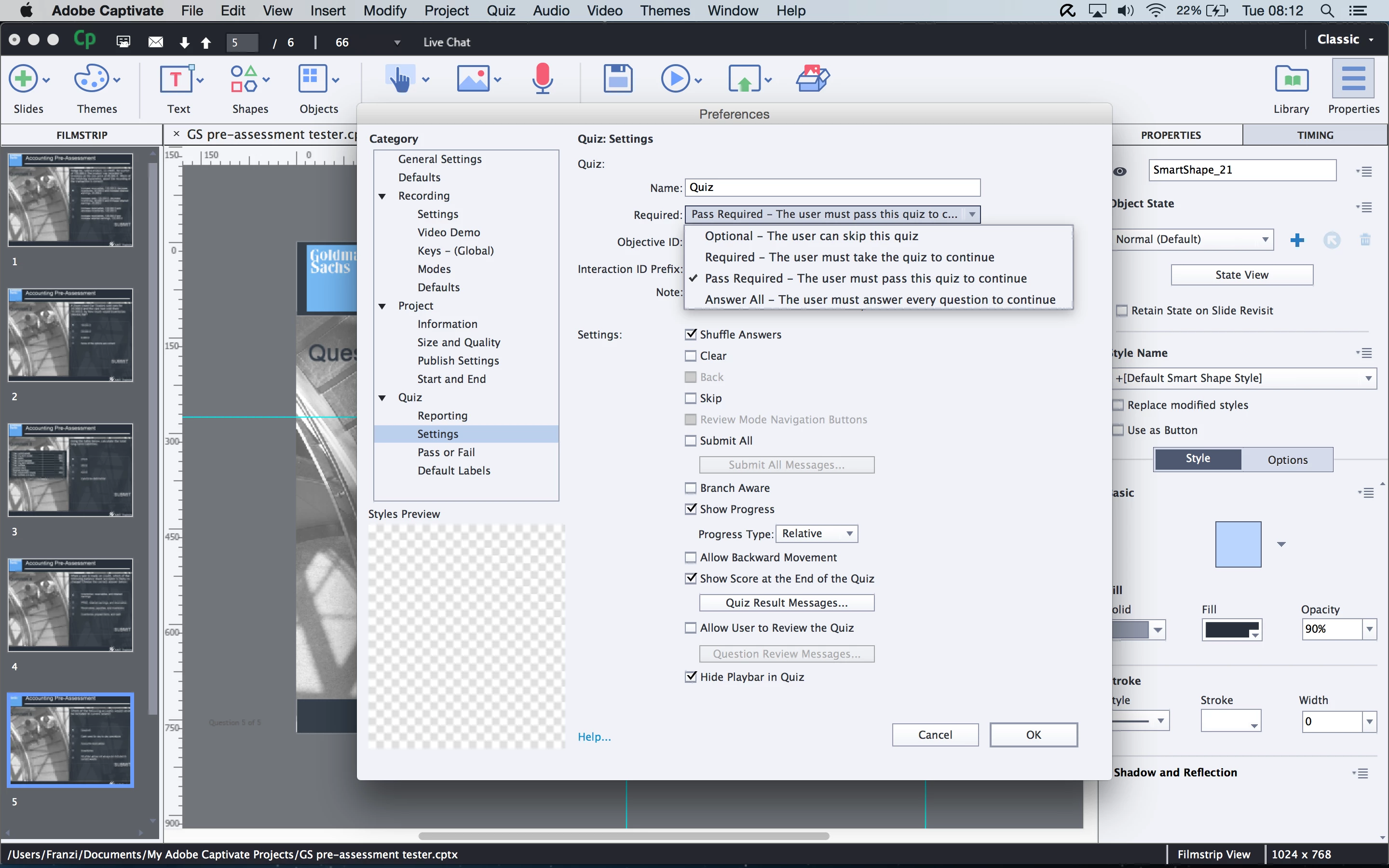
Does anybody have any idea what I'm doing wrong or exactly where you set it in Captivate that a quiz remains either in progress or incomplete if a user fails the assessment?

This topic has been closed for replies.

1 reply

RodWard
Community Expert
Community Expert
March 22, 2016

The issue may be with your LMS, not with your Captivate content.

Try setting it to Incomplete / Complete as you did in the first instance, publish and upload your SCORM to SCORM Cloud to test.

If you cannot even get SCORM Cloud to mark it as Complete or Incomplete THEN blame the Captivate content.  But I'm thinking you might see a different result.

FHenselAuthor
Known Participant
March 22, 2016

I'm not quite sure what to make of the results. At first this problem was reported on a different LMS to my own (Cornerstone, whereas I'm on Moodle). I've set it to Complete > Incomplete and previewed it on the SCORM Cloud as you suggested and this is the results I got.

It's showing as incomplete, whereas a previous preview on the SCORM Cloud showed it as Completed. Yay! :-)

RodWard, does that mean that the SCORM Cloud is a more reliable way of testing SCORM packages than your standard LMS? Funnily enough it is still showing as completed on Moodle, even with the same settings as the package previewed on the SCORM Cloud.

I'm just worried that Cornerstone will mark it as complete with these settings, just like Moodle, because if that is the case I have no control over their LMS settings to rectify it.

Thanks for all your help.

RodWard
Community Expert
Community Expert
March 22, 2016

If you're on Moodle you should be using the settings in Captivate that are specifically for Moodle, not the general ones for SCORM LMSs.

SCORM Cloud is always more reliable, but for Moodle you need to use the special settings provided.

If it works properly in SCORM Cloud and differently in another supposedly SCORM-compliant LMS you go back to the LMS vendor and wave the SCORM Cloud results under their noses.